School Timetable Management Software: A Complete Guide for Schools
Preparing a school timetable is one of the most important responsibilities of academic administration. School coordinators must balance subjects, teachers, classrooms, laboratory sessions, activity periods and academic requirements while ensuring that every class follows a well-organised schedule. As schools grow, managing these activities through spreadsheets and manual records becomes increasingly complicated.
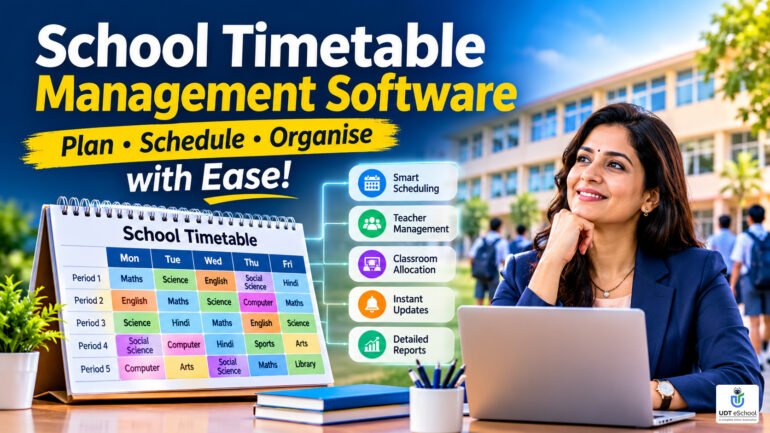
School timetable management software helps educational institutions organise class schedules, coordinate teaching periods and manage timetable updates through a centralised digital system. It can reduce repetitive administrative work, improve scheduling visibility and make it easier for teachers and students to access their daily and weekly schedules.
For school directors, principals and academic coordinators, selecting the right timetable management solution is not simply about replacing a paper timetable. It is about improving academic planning, managing available resources and maintaining a consistent teaching schedule throughout the academic year.
This guide explains the essential features, benefits and selection criteria schools should consider before implementing timetable management software.
What Is School Timetable Management Software?
School timetable management software is a digital solution that helps educational institutions create, organise, maintain and distribute academic schedules.
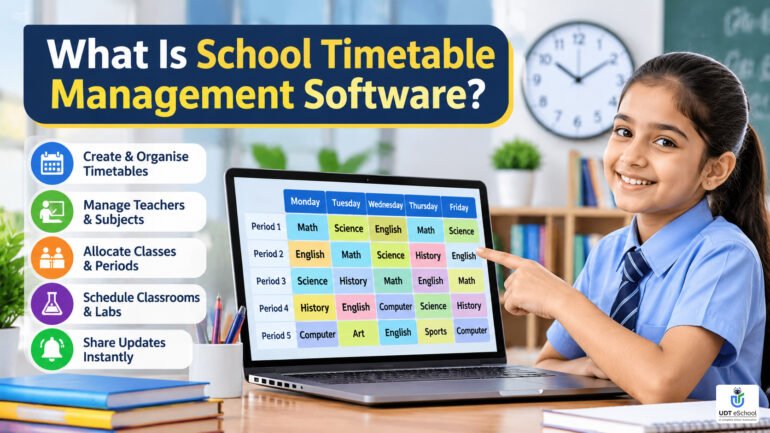
It allows authorised school administrators to organise subjects, classes, teachers and teaching periods according to the institution’s academic requirements.
Instead of preparing separate schedules manually, schools can use a centralised system to maintain timetable information and make necessary changes more efficiently.
Depending on the software and its capabilities, a timetable management system may support:
- Class-wise and section-wise timetable preparation.
- Subject and period allocation.
- Teacher-wise schedule management.
- Teacher availability and workload monitoring.
- Classroom and laboratory scheduling.
- Timetable modifications and updates.
- Substitute teacher arrangements.
- Digital timetable access for teachers and students.
- Notifications regarding schedule changes.
- Timetable reports and printable schedules.
Not every software solution includes all these features. Schools should evaluate the actual functionality available in each product before making a purchase decision.
Why Do Schools Need Timetable Management Software?
Preparing a timetable requires coordination between multiple academic and administrative resources.
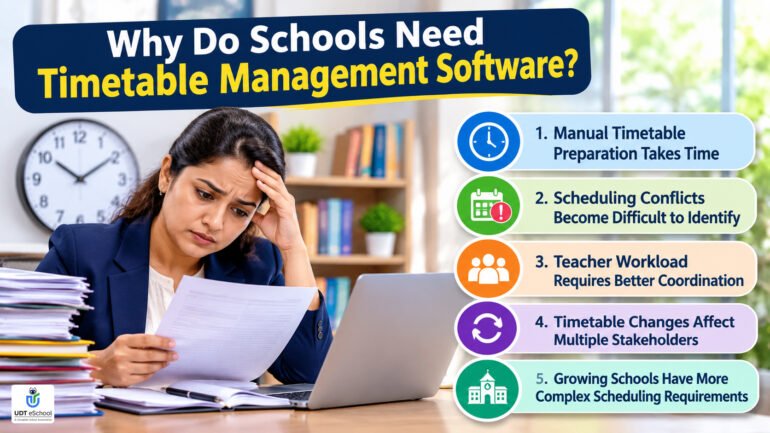
A school may have several classes, multiple sections, dozens of teachers, different subject combinations and limited specialised classrooms. Each allocation must fit into the school’s working hours without creating scheduling conflicts.
As the number of classes and teachers increases, manual timetable preparation becomes more difficult.
1. Manual Timetable Preparation Takes Time
Academic coordinators often spend considerable time preparing weekly schedules, checking subject allocations and making adjustments.
A single change in teacher availability can affect several classes and periods.
Digital timetable management helps organise this information and makes subsequent updates easier to manage.
2. Scheduling Conflicts Become Difficult to Identify
A teacher cannot normally conduct two different classes during the same period.
Similarly, two classes cannot use the same laboratory simultaneously when it is a shared facility.
When schedules are maintained in separate spreadsheets, identifying these conflicts requires repeated manual checking.
A suitable timetable solution should help administrators identify such clashes. Whether it detects conflicts automatically should be verified during the software demonstration.
3. Teacher Workload Requires Better Coordination
Teachers have different subject responsibilities, class allocations and weekly teaching requirements.
Without a consolidated view, academic coordinators may find it difficult to identify uneven teaching loads or excessive consecutive periods.
Teacher-wise scheduling visibility makes academic planning more organised.
4. Timetable Changes Affect Multiple Stakeholders
Teacher absences, academic events, examination activities and classroom changes can require timetable adjustments.
When information is maintained manually, administrators may need to update several copies and communicate the changes separately.
A digital system can make it easier to maintain updated schedules and communicate relevant changes, depending on its notification capabilities.
5. Growing Schools Have More Complex Scheduling Requirements
Schools with multiple sections, different academic levels and specialised teaching facilities need a structured scheduling process.
A timetable management system provides a central place to maintain academic schedules rather than depending entirely on individual spreadsheets and paper records.
9 Essential Features of School Timetable Management Software
Before selecting school timetable software, management teams should understand the features that can make everyday academic scheduling more efficient.
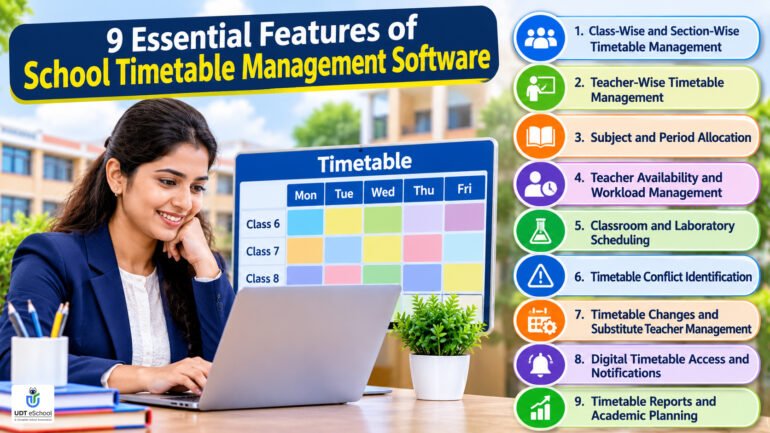
1. Class-Wise and Section-Wise Timetable Management
Every class and section has its own academic requirements.
For example, Class VI-A and Class VI-B may follow similar subject combinations but have different teachers or laboratory schedules.
A good timetable management solution should make it possible to maintain separate schedules for different classes and sections.
Schools should look for:
- Individual class timetable views.
- Section-wise scheduling.
- Daily and weekly timetable formats.
- Easy access to updated schedules.
- Clear subject and period identification.
This helps academic coordinators organise schedules across different grades without depending on multiple disconnected documents.
2. Teacher-Wise Timetable Management
Teacher scheduling is an important part of academic planning.
A teacher may handle different subjects or multiple sections throughout the week. Administrators need to understand when each teacher is assigned to a class.
Teacher-wise timetable management helps schools maintain individual teaching schedules and review period allocations.
Important considerations include:
- Teacher-wise daily and weekly schedules.
- Subject and class allocation.
- Teaching period visibility.
- Free-period identification, where available.
- Weekly workload review.
This makes it easier for academic coordinators to review teaching responsibilities and plan changes when required.
3. Subject and Period Allocation
Every school follows a defined academic structure with specific subjects, periods and working hours.
For example, Mathematics, English, Science, Social Science, languages, computer education, art and physical education may require different allocations depending on the class and curriculum.
Timetable software should help administrators organise these subject-period combinations.
Schools should evaluate whether the system supports:
- Subject allocation for individual classes.
- Weekly period distribution.
- Different period durations.
- Morning assembly and break periods.
- Activity and practical sessions.
- Different academic structures across grades.
The objective is to create a balanced timetable that meets academic requirements while making effective use of available teaching hours.
4. Teacher Availability and Workload Management
Teacher availability must be considered before finalising an academic schedule.
Some teachers handle multiple classes, while others may have assigned responsibilities outside regular teaching periods.
An effective scheduling process should consider:
- Teacher working days.
- Available teaching periods.
- Subject responsibilities.
- Weekly teaching allocations.
- Administrative and non-teaching responsibilities.
- Leave and absence requirements.
Where supported, timetable software can provide consolidated teacher schedules to help coordinators review these allocations.
However, schools should distinguish between viewing teacher schedules and automatically optimising workloads. These are different capabilities.
5. Classroom and Laboratory Scheduling
Classrooms, science laboratories, computer laboratories, libraries and activity spaces are shared school resources.
Their availability should be considered while preparing academic schedules.
For example, if multiple sections require computer laboratory sessions, the coordinator must ensure that the facility is not assigned to two groups during the same period.
Before selecting a solution, schools should check whether it supports:
- Room-wise timetable allocation.
- Laboratory scheduling.
- Special classroom allocation.
- Shared-resource availability.
- Identification of room booking conflicts.
Not all school timetable applications provide dedicated room-management functionality. This should be confirmed during the product demonstration.
6. Timetable Conflict Identification
Scheduling conflicts can affect teachers, students and academic operations.
Common examples include:
- One teacher assigned to two classes simultaneously.
- Two sections requiring the same laboratory.
- A subject allocated fewer periods than planned.
- Incompatible teacher availability.
- Overlapping activity or practical sessions.
School scheduling software should ideally provide conflict-checking capabilities to help administrators identify these problems before publishing the timetable.
Ask vendors to demonstrate whether conflicts are flagged automatically, require manual checking or are identified only after the schedule is generated.
7. Timetable Changes and Substitute Teacher Management
A timetable is not always fixed throughout the academic year.
Teacher absences, school events, examination activities and other administrative requirements can lead to temporary or permanent changes.
For example, when a teacher is absent, the school may need to arrange another available teacher for the affected period.
Depending on the software, administrators may be able to:
- Modify existing timetable entries.
- Assign replacement teachers.
- Update affected class schedules.
- Maintain revised timetable information.
- Notify relevant stakeholders.
Schools should specifically check whether substitute allocation is automatic, suggested by the system or performed manually by an authorised administrator.
These distinctions are important when comparing timetable software.
8. Digital Timetable Access and Notifications
Once the timetable is finalised, teachers and students should be able to access the correct schedule without repeatedly contacting the administration.
Digital timetable access can help stakeholders stay informed about their academic responsibilities.
Depending on the available application features, schools may look for:
- Teacher-wise timetable access.
- Student and class-wise timetable access.
- Mobile application availability.
- Notifications about timetable modifications.
- Updated schedule visibility.
Parents may also benefit from timetable information where the platform provides parent-facing access.
The most important requirement is that users receive accurate and updated information rather than continuing to follow outdated timetable copies.
9. Timetable Reports and Academic Planning
Timetable information can also help school management review the distribution of teaching periods and academic resources.
Depending on the reporting facilities, useful information may include:
- Class-wise timetable summaries.
- Teacher-wise period allocation.
- Subject distribution.
- Free-period information.
- Room and laboratory utilisation.
- Schedule changes.
These reports can support academic coordinators and school leadership when reviewing resource utilisation and planning future academic sessions.
How to Prepare an Effective School Timetable
Software can make timetable management easier, but the quality of the final schedule also depends on proper academic planning.
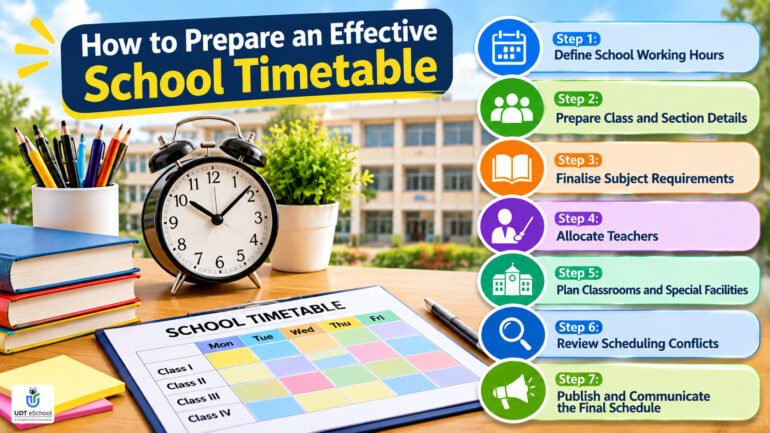
Schools should follow a structured process before creating or updating their timetable.
Step 1: Define School Working Hours
Begin by identifying the school’s working days, opening and closing times, assembly schedule, breaks and teaching periods.
Different academic levels may follow different schedules.
Step 2: Prepare Class and Section Details
List all classes and sections that require individual timetables.
For example:
- Class I-A and I-B.
- Class II-A and II-B.
- Class VI-A, VI-B and VI-C.
- Class IX-A and IX-B.
This provides a clear structure for scheduling.
Step 3: Finalise Subject Requirements
Identify the subjects taught in each class and determine their weekly period requirements according to the school’s academic plan.
Include academic subjects, practical sessions, physical education, art and other activities.
Step 4: Allocate Teachers
Map each subject to the relevant teacher.
Review teacher availability, subject responsibilities and other assigned duties before finalising the allocation.
Step 5: Plan Classrooms and Special Facilities
Identify which activities require specialised facilities.
Allocate laboratories, computer rooms, libraries and other shared resources according to their availability.
Step 6: Review Scheduling Conflicts
Check the complete schedule for overlapping teacher assignments, class periods and shared facilities.
Resolve any conflicts before publishing the timetable.
Step 7: Publish and Communicate the Final Schedule
Once approved, make the timetable accessible to the relevant teachers and students.
Communicate subsequent modifications clearly so that everyone follows the latest schedule.
Common School Timetable Management Mistakes to Avoid
Even experienced academic coordinators can encounter scheduling problems when the timetable preparation process is not properly structured.
Some common mistakes include:
| Common mistake | Recommended approach |
|---|---|
| Assigning the same teacher to two classes | Review teacher-wise schedules before publishing |
| Overlooking laboratory availability | Include shared facilities in academic planning |
| Uneven subject distribution | Review weekly subject-period requirements |
| Ignoring teacher workload | Check individual teaching allocations |
| Excessive consecutive periods | Review the daily teaching sequence |
| Maintaining different timetable copies | Maintain one authorised master schedule |
| Not communicating schedule changes | Notify affected teachers and students |
| Ignoring activity periods | Include practical and co-curricular requirements |
A systematic approach helps schools maintain more reliable academic schedules.
School Timetable Software vs Manual Timetable Preparation
Many schools continue to prepare timetables using Excel sheets, printed formats and manual registers.
These methods can work for smaller institutions with limited scheduling requirements. However, they become increasingly difficult to maintain when schools have multiple sections, larger teaching teams and frequent schedule changes.
| Parameter | Manual preparation | Digital timetable software |
|---|---|---|
| Timetable creation | Manual entry and arrangement | Digital schedule management |
| Class-wise schedules | Separate sheets or documents | Centralised access, where supported |
| Teacher schedules | Manual compilation | Consolidated teacher views, where supported |
| Timetable changes | Repeated manual updates | Digital modification, depending on features |
| Notifications | Separate communication | Integrated notifications, where supported |
| Conflict checking | Manual verification | Automated checking, if available |
| Schedule access | Printed copies and shared files | Web or mobile access, depending on the platform |
| Reporting | Manual preparation | Digital reports, where supported |
The main advantage of digital timetable management is better organisation and accessibility. However, the actual level of automation depends on the software selected.
School Timetable Management Software vs School ERP
School timetable management software focuses primarily on preparing and maintaining academic schedules.
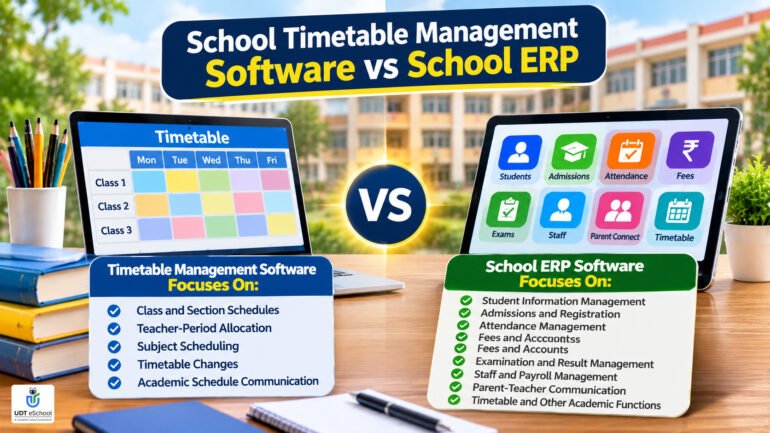
A School ERP, on the other hand, is a broader platform that connects multiple school functions, including student records, admissions, attendance, fees, examinations, staff management and parent communication.
The difference can be understood as follows:
Timetable management software focuses on:
- Class and section schedules.
- Teacher-period allocation.
- Subject scheduling.
- Timetable changes.
- Academic schedule communication.
School ERP software focuses on:
- Student information management.
- Admissions and registration.
- Attendance management.
- Fees and accounts.
- Examination and result management.
- Staff and payroll management.
- Parent-teacher communication.
- Timetable and other academic functions, where available.
For schools looking to manage several departments through one platform, an integrated School ERP Software solution can provide a wider operational framework.
The right choice depends on whether the school needs a specialised timetable tool or a broader management platform with timetable functionality.
How to Choose the Right School Timetable Management Software
Selecting timetable software requires more than comparing the number of features listed on a vendor’s website.
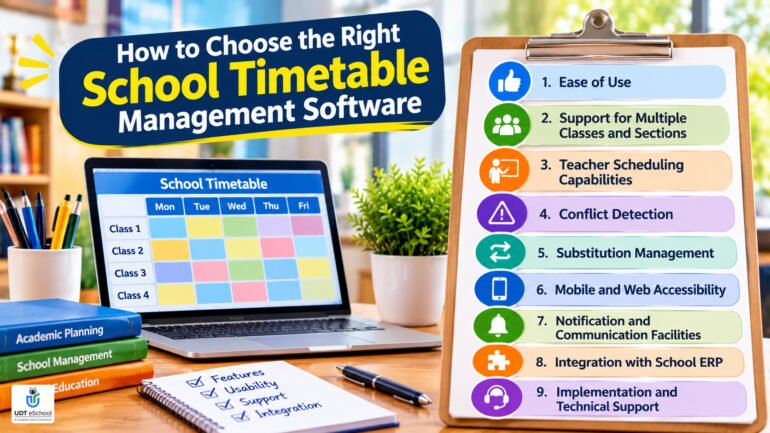
School management should evaluate whether the solution addresses its actual scheduling requirements.
Consider these important factors before making a decision.
1. Ease of Use
The software should be understandable for principals, academic coordinators and timetable administrators.
A complicated interface can create additional training requirements.
2. Support for Multiple Classes and Sections
Check whether the system can handle the school’s complete academic structure, including different grades and multiple sections.
3. Teacher Scheduling Capabilities
Verify whether the software provides individual teacher schedules and supports the school’s teacher allocation requirements.
4. Conflict Detection
Ask whether the platform identifies teacher, class and room conflicts automatically.
Request a practical demonstration using your school’s scheduling requirements.
5. Substitution Management
Check how the software handles teacher absences.
Determine whether replacement teachers are automatically allocated, suggested or manually selected.
6. Mobile and Web Accessibility
Teachers and administrators may need to access schedules from different locations.
Evaluate whether the software supports web access, mobile applications or both.
7. Notification and Communication Facilities
Find out whether timetable modifications can be communicated directly to affected teachers, students and parents.
8. Integration with School ERP
If your school already uses management software, check whether the timetable solution can work with existing student, teacher and academic records.
An integrated solution may reduce duplicate data entry.
9. Implementation and Technical Support
Evaluate the vendor’s onboarding process, staff training, technical assistance and ongoing support.
The software should be practical to implement without unnecessarily disrupting regular school activities.
Questions Schools Should Ask Before Purchasing Timetable Software
Before finalising a vendor, school directors and principals should ask the following questions:
- Can the software create separate timetables for different classes and sections?
- Does it provide individual teacher-wise schedules?
- Can we configure our own working days and period timings?
- Does it support different subject allocations across academic levels?
- Can we schedule laboratories and shared classrooms?
- Does the system identify teacher and classroom conflicts automatically?
- Can we monitor teacher workloads and free periods?
- How are teacher substitutions managed during unexpected absences?
- Can teachers and students access their updated timetables through a mobile application?
- Are timetable changes communicated automatically?
- Can we export or print class-wise and teacher-wise schedules?
- What training, implementation and technical support are included?
A practical demonstration using actual school scheduling requirements is one of the best ways to evaluate whether a product is suitable.
How to Implement Timetable Management Software in Your School
A successful implementation requires cooperation between school management, academic coordinators, teachers and the software provider.
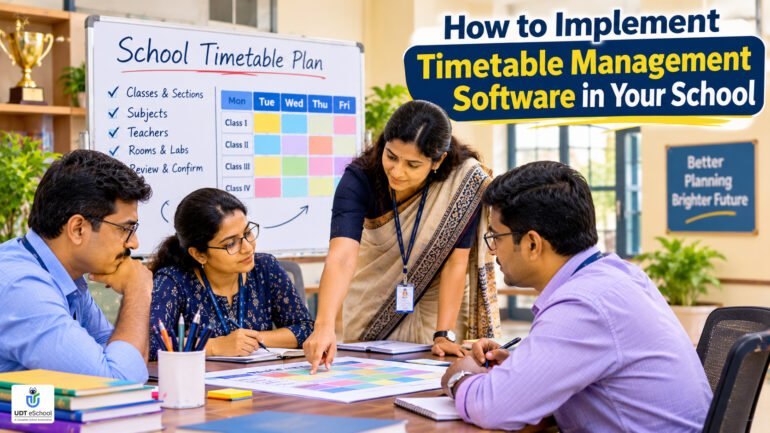
The following approach can help schools introduce the system smoothly.
1. Identify Existing Scheduling Challenges
Review the current timetable preparation process and identify problems such as repeated manual work, scheduling conflicts, delayed updates and communication gaps.
2. Define Academic Requirements
Prepare the school’s class structure, subject allocation, teacher details, working days, periods and special classroom requirements.
3. Configure the Software
Work with the implementation team to configure the system according to the school’s academic structure.
4. Test the Timetable
Prepare sample schedules and review their accuracy before using the system for regular academic operations.
5. Train the Academic Team
Provide practical training to timetable in-charges, coordinators and authorised staff members.
6. Introduce Digital Schedule Access
Help teachers and students understand how to access their timetables and check for updates.
7. Review and Improve
Regularly review timetable accuracy, user feedback and scheduling requirements to ensure that the system continues to meet the school’s needs.
How UDT eSchool Supports School Timetable Management
UDT eSchool provides School ERP functionality that includes timetable management as part of its broader school administration platform.
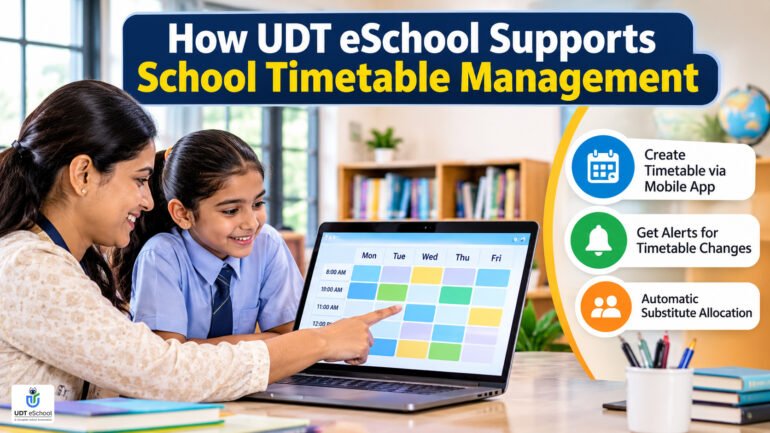
Its published School ERP information describes timetable creation through the mobile application, allowing schools to prepare class schedules and helping teachers and students keep track of their weekly academic activities.
The platform also describes notifications to parents and teachers when timetable changes or amendments are made.
Another published capability is automatic substitute teacher allocation in certain teacher-absence situations, with notifications to teachers regarding unexpected timetable changes.
These facilities can help schools maintain schedule visibility and coordinate academic activities through a connected digital environment.
The UDT eSchool School ERP platform also covers other school management functions, making it relevant for institutions evaluating an integrated approach rather than a standalone timetable application.
Schools can explore the wider School Management Software offering to understand how timetable management fits into the broader administrative environment.
For institutions planning a wider technology adoption strategy, the Digital Transformation Roadmap for Schools provides additional guidance on building a connected digital ecosystem.
Note: Specific timetable configuration options, teacher workload reports, room scheduling, automated conflict detection and the scope of substitute allocation should be confirmed with the UDT team during a product demonstration.
The Role of Academic Planning in Better School Management
A school timetable is more than a list of subjects and periods. It provides the daily structure through which academic plans are implemented.

A well-organised schedule helps schools allocate sufficient time to different learning areas, coordinate teaching resources and plan academic activities.
Schools can refer to the CBSE School Quality Assessment and Assurance Framework which highlights the importance of adequate teaching hours, curriculum completion and regular review of school timetables.
Schools should also review the CBSE Curriculum for the Academic Year 2026–27 when planning subject allocations and academic requirements for their respective classes.
Schools should therefore evaluate timetable software not only on its administrative convenience but also on whether it helps academic teams implement their planned teaching schedules effectively.
For foundational-stage planning, the National Curriculum Framework for Foundational Stage provides guidance on organising teaching activities, learning experiences and classroom time.
Conclusion
Managing school timetables efficiently requires coordination between teachers, subjects, classes, classrooms and academic activities.

As institutions grow, relying entirely on manual schedules and disconnected spreadsheets can make timetable preparation and daily modifications increasingly difficult.
School timetable management software offers schools a more organised way to prepare, maintain and communicate academic schedules.
Before selecting a solution, school management should evaluate its scheduling capabilities, teacher allocation facilities, conflict-checking options, notification features, mobile accessibility and integration with broader school management systems.
The right solution should support the academic team, simplify administrative coordination and help the institution maintain a more organised teaching environment.
For schools looking to improve academic scheduling alongside their wider administrative operations, UDT eSchool provides an integrated School ERP platform worth exploring.
Book Your Demo: +91-9690343000 | 9711400141
Frequently Asked Questions (FAQs)
1. What is school timetable management software?
School timetable management software is a digital solution that helps schools create, organise, update and distribute academic schedules for different classes, sections and teachers.
2. What are the benefits of school timetable software?
It helps schools organise academic schedules, maintain teacher and class timetable records, manage schedule changes and improve access to updated timetable information.
3. Can timetable software create teacher-wise schedules?
Many timetable management solutions provide teacher-wise scheduling facilities. Schools should verify whether the selected software supports individual teacher schedules and workload visibility.
4. Does school timetable software automatically detect scheduling conflicts?
Some advanced solutions provide automated conflict detection for teacher assignments, classrooms and laboratories. This functionality is not available in every product and should be verified before purchasing.
5. Can school timetable software manage multiple sections?
Yes, many solutions support class-wise and section-wise scheduling. However, schools should check whether the system can accommodate their specific academic structure and number of sections.
6. Can timetable software manage teacher substitutions?
Some systems provide substitute teacher management when a teacher is absent. Depending on the product, replacement allocation may be automatic, suggested or manually handled by the administrator.
7. Can teachers access their timetables through mobile applications?
Several school management platforms provide mobile timetable access for teachers. Schools should check whether their chosen solution includes this functionality and whether schedule changes are reflected in the application.
8. Can parents access school timetables?
Some integrated School ERP platforms allow parents to view timetable information and receive notifications about schedule changes. Availability depends on the software’s parent application and access configuration.
9. Is timetable management software different from School ERP?
Yes. Timetable software focuses on academic scheduling, while School ERP covers wider school operations such as admissions, attendance, fees, examinations, staff management and communication. Timetable functionality may be included as an ERP module.
10. How should schools choose the right timetable management software?
Schools should evaluate class-wise and teacher-wise scheduling, subject allocation, conflict detection, substitution facilities, mobile access, notifications, implementation support and integration with existing school systems.
People Also Search For (PASF)
- Best school timetable management software in India
- School timetable software for CBSE schools
- Online school timetable maker
- Teacher timetable management system
- Class-wise timetable management software
- School scheduling software for multiple sections
- Automatic timetable generator for schools
- School timetable preparation and management
- Teacher period allocation software
- School ERP with timetable management
Ready to Transform Your School?
Empower your institution with an intelligent School ERP that streamlines administration, strengthens parent engagement, automates routine tasks, and helps school leaders make data-driven decisions with confidence.

✔ Reviewed & Published
UDT eSchool Editorial Team
This article has been researched, reviewed, and published by the UDT eSchool Editorial Team, specialists in School ERP Software, NEP 2020 implementation, CBSE reforms, AI in Education, Competency-Based Assessment, Holistic Progress Cards, Parent Engagement, and Digital School Transformation.
Editorial Standards
✔ Official CBSE Circulars
✔ Ministry of Education Guidelines
✔ NCERT Frameworks
✔ Education Industry Best Practices
✔ Reviewed Before Publication
✔ Updated as Policies Change
Editorial Expertise
School ERPNEP 2020CBSE ReformsHolistic Progress CardCompetency-Based AssessmentAI in EducationSchool Management
Digital Transformation
Article Information
| Content Type | Expert Educational Guide |
| Reviewed By | UDT eSchool Editorial Team |
| Fact Checked | ✔ Yes |
| Primary Sources | CBSE, NCERT, Ministry of Education & NEP 2020 |
| Updated | November 2026 |
| Article Version | Version 1.0 |

Education Technology Consultant at UDt eSchool with 10+ years of experience helping schools digitize operations and implement CBSE-aligned systems.