School ERP Software Cost in India: 7 Crucial Factors
Choosing school ERP software is an important technology investment. But for school owners, directors, trustees, principals and administrators, one question often makes the decision difficult: how much will the software cost—not just at the time of purchase, but throughout its use?
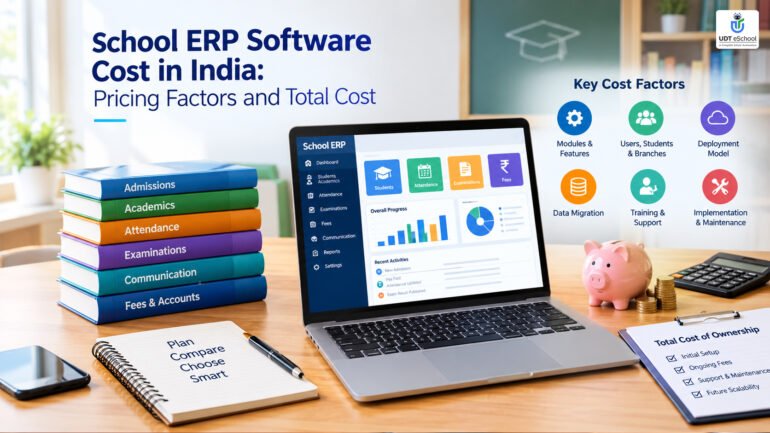
The school ERP software cost in India depends on several factors, including the school’s student strength, required modules, number of campuses, implementation needs, training, integrations and ongoing support. Two schools with similar enrolment can receive very different quotations because their operational requirements may not be the same.
A low initial quotation may appear attractive, but it does not necessarily represent the most economical option over three or five years. Likewise, a higher quotation is not automatically better value.
The right approach is to compare the complete scope of services, understand recurring and one-time expenses, and calculate the total cost of ownership before signing a contract.
This guide explains the pricing models, cost factors, additional charges and vendor-evaluation questions that Indian schools should consider before investing in school management software.
For broader context on the role of technology in education, schools can consult the Government of India’s National Education Policy 2020
What Determines School ERP Software Cost in India?
School ERP software integrates different administrative and academic functions into a common platform. Depending on the product and contract, these functions may include admissions, student records, attendance, fee management, examinations, staff administration, parent communication, transport and management reporting.
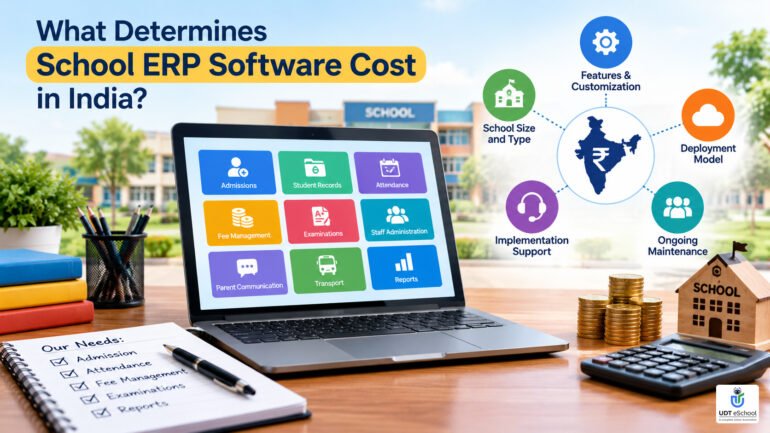
The final price depends on what a school needs, how the software is supplied and how much assistance is required to implement it.
For example, a single-campus school looking to digitize attendance and fee records may need a different solution from a school group requiring consolidated reports, centralized fee monitoring and separate access permissions for multiple branches.
Before requesting quotations, prepare a clear list of the problems the school wants to solve. This helps vendors quote for comparable requirements instead of presenting packages that differ significantly in scope.
Schools beginning their evaluation can also review this guide to choosing school ERP software in India for a broader comparison of software features and vendor selection considerations.
Common School ERP Pricing Models
There is no single pricing structure used by every provider. The following are common models to consider when comparing school management software pricing.
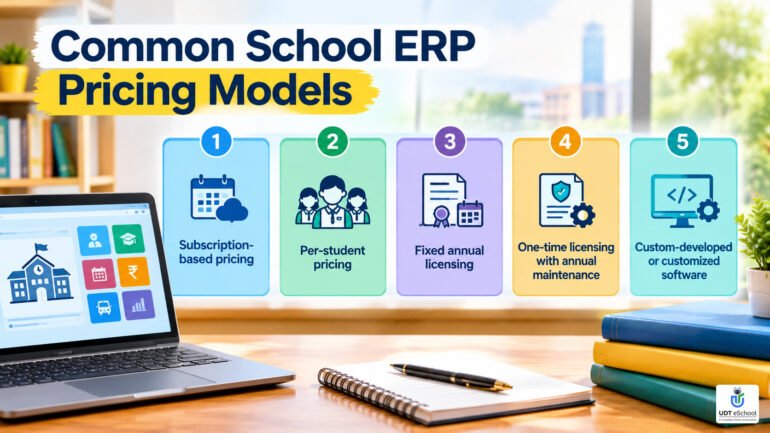
1. Subscription-based pricing
Under a subscription model, the school pays a recurring fee, usually monthly or annually, to access the software.
The subscription may include hosting, software updates and a defined level of support. However, inclusions vary by provider and contract.
Check before purchasing:
-
Whether billing is monthly, annually or for a longer term.
-
Whether the subscription depends on student strength, modules or campuses.
-
Whether implementation and training are included.
-
Whether renewal prices can increase and how increases are calculated.
-
What happens to access and school data when the subscription ends.
A subscription can make expenses more predictable, but schools should budget for renewals rather than treating the first payment as the complete cost.
2. Per-student pricing
Some vendors calculate fees according to the number of students covered by the software.
The contract should define the student count used for billing. It should also clarify how new admissions, withdrawals, inactive records and mid-year changes affect the amount payable.
A school with growing enrolment should understand whether its subscription moves into a higher pricing band during the academic year or at renewal.
3. Fixed annual licensing
A vendor may offer an annual package for a particular school size or feature set.
This can simplify budgeting when the package clearly defines the included modules, users, campuses and support services.
However, a fixed annual fee does not necessarily mean unlimited usage. Check whether there are caps on student records, staff accounts, storage, messages or additional campuses.
4. One-time licensing with annual maintenance
Some arrangements involve an upfront software licence payment followed by annual maintenance or support charges.
Schools should establish what the initial licence actually covers and whether hosting, infrastructure, upgrades, backups, security updates and technical assistance are separate.
A lower upfront payment is not directly comparable with an annual subscription unless the costs over the same period are considered.
5. Custom-developed or customized software
A school may require specialized workflows, integrations, reports or group-level controls that are not available in a standard package.
The provider may quote separately for customization, development, testing and future changes.
In this model, clarify who owns the custom code, who maintains it, what documentation is supplied and whether future upgrades will require additional development work.
Practical tip: Ask every vendor to quote against the same written requirements and provide both the first-year amount and the expected recurring costs. That makes different pricing models easier to compare.
7 Crucial Factors That Affect School ERP Software Price
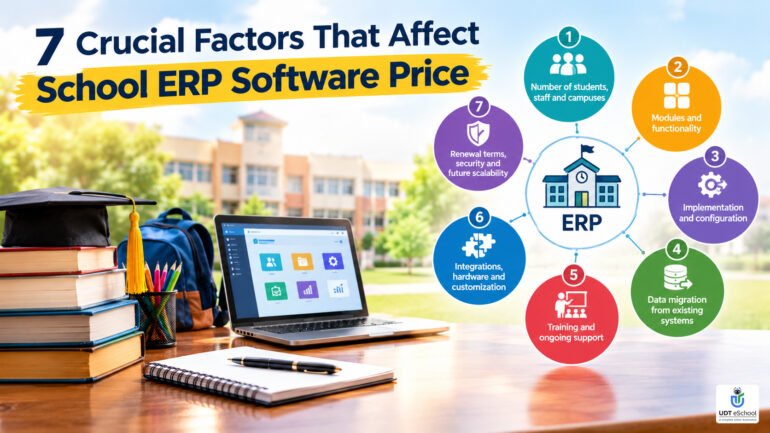
1. Number of students, staff and campuses
The number of students is only one part of the calculation. The number of staff users, campuses, departments and administrative roles may also influence the scope of the solution.
A single-campus school may need separate access for the Principal, teachers, accounts department, admissions team and parents. A school group may also require head-office access and branch-specific permissions.
When evaluating a proposal, ask:
-
How many students are included?
-
Are all teachers and administrative staff covered?
-
Are parent and student app access included?
-
Is each additional campus charged separately?
-
Can the system accommodate future enrolment growth?
-
Are consolidated reports across branches included?
For multi-branch institutions, ask the vendor to demonstrate how information is viewed at both the individual school and group levels.
2. Modules and functionality
The number and complexity of required modules can affect pricing.
| Functional area | What to confirm in the quotation |
|---|---|
| Admissions and student records | Enquiry tracking, applications, enrolment and student history |
| Fees and accounts | Fee structures, receipts, pending dues and financial reports |
| Attendance and timetable | Student and staff attendance, scheduling and related notifications |
| Examinations and report cards | Marks entry, result processing and report formats |
| Parent and teacher communication | Mobile app access, notifications and communication limits |
| HR and payroll | Staff records, leave, salary calculations and payslips |
| Transport and inventory | Route management, tracking integrations and stock records |
| Management reporting | School-level and consolidated reports, exports and dashboards |
A school should not pay for functionality it does not need. At the same time, choosing an incomplete package can lead to additional purchases later.
Evaluate the overall workflow rather than counting features. A module is valuable when it solves a real operational problem and works effectively with the rest of the system.
3. Implementation and configuration
Software access does not automatically mean the school is ready to use the system.
Implementation may involve setting up academic sessions, classes, sections, subjects, fee heads, user roles, report formats, approval processes and notification settings.
The effort depends on the complexity of the school’s existing processes and the amount of configuration required.
Ask the provider to specify:
-
Which implementation activities are included.
-
Who is responsible for collecting and validating school data.
-
Whether configuration is remote, on-site or a combination.
-
How many training sessions are included.
-
Whether additional configuration requests are chargeable.
-
What milestones must be completed before go-live.
A clearly defined implementation scope reduces the risk of disagreements after the contract is signed.
4. Data migration from existing systems
Schools moving from registers, spreadsheets or an older ERP may need to transfer student profiles, staff records, fee balances, attendance histories and examination results.
Migration costs depend on the number of records, data quality, historical information required and complexity of the source system.
For example, importing a clean student spreadsheet is different from reconciling several years of fee records maintained across multiple files.
Before signing, ask the vendor to review sample data and explain:
-
Which records will be migrated.
-
Whether data cleaning is included.
-
Whether historical records will remain accessible.
-
How migrated data will be checked against the original records.
-
Who will resolve discrepancies.
-
Whether a second migration or correction exercise will cost extra.
The school should retain its own verified backup and approve the migrated records before relying on them for routine operations.
5. Training and ongoing support
Teachers, accountants, administrators and school leaders use software differently. Training should reflect those responsibilities.
A quotation may include initial onboarding but exclude refresher sessions, training for new employees, on-site visits or specialized support.
Clarify the support arrangements in writing, including working hours, response targets, escalation procedures, service channels and any charges for on-site assistance.
For schools with frequent staff changes, training resources and repeat sessions can influence the long-term cost of adoption.
6. Integrations, hardware and customization
Some schools need their ERP to connect with existing tools or equipment. These requirements can affect both initial setup and recurring expenditure.
Examples include:
-
Biometric or RFID attendance devices.
-
Bus GPS tracking systems.
-
Online payment gateways.
-
SMS or WhatsApp communication services.
-
Accounting software or other external applications.
-
Customized report cards, receipts and management reports.
Ask whether the quoted amount covers the integration itself, the third-party service, any required hardware and future maintenance.
A vendor may include an integration in its proposal while the external provider charges separately. The contract should make this distinction clear.
7. Renewal terms, security and future scalability
The purchase price is only one part of a long-term software relationship.
A school should assess how renewal fees are calculated, what happens when enrolment grows, whether additional modules can be added and how the software will be maintained.
Security and data portability are equally important. Ask about access controls, backups, incident handling, data export, retention and the process for ending the contract.
The Digital Personal Data Protection Act, 2023 is an official starting point for understanding India’s personal-data protection framework. Schools should obtain appropriate guidance on applicable requirements rather than assume that a vendor’s security claims alone establish compliance.
A suitable ERP should be assessed not only on what it costs today, but also on whether it can continue to meet the school’s requirements as operations evolve.
Hidden and Additional Costs Schools Should Clarify
The phrase “hidden costs” does not necessarily mean that a vendor is deliberately concealing charges. Often, schools and vendors have different assumptions about what a package includes.
The solution is to request a detailed, written cost breakdown.
| Cost item | What to ask |
|---|---|
| Setup and implementation | Is onboarding charged separately? |
| Data migration | Is historical data included? |
| Training | Are refresher and new-staff sessions included? |
| SMS and WhatsApp | Are credits included, capped or billed separately? |
| Payment gateway | Who pays transaction or service charges? |
| Hardware | Are devices, installation and replacement covered? |
| Customization | What counts as standard configuration versus paid development? |
| Hosting and backups | Are these included, and what are the service arrangements? |
| Support and maintenance | What support level is included in the recurring fee? |
| GST and other applicable taxes | Is the quotation tax-inclusive or tax-exclusive? |
| Renewal and escalation | Can the price increase during the contract or at renewal? |
| Exit and data export | Are there charges or restrictions when leaving the service? |
Request a separate line for each applicable item. If a cost does not apply, ask the vendor to mark it as not applicable rather than leave it ambiguous.
This is especially important for communication services and payment processing. Message charges can depend on usage and provider terms, while transaction charges depend on the payment arrangement. Neither should be assumed to be included in the ERP subscription.
How to Calculate School ERP Total Cost of Ownership
Total cost of ownership (TCO) is the combined cost of purchasing, implementing, operating and eventually transitioning away from a software system over a defined period.
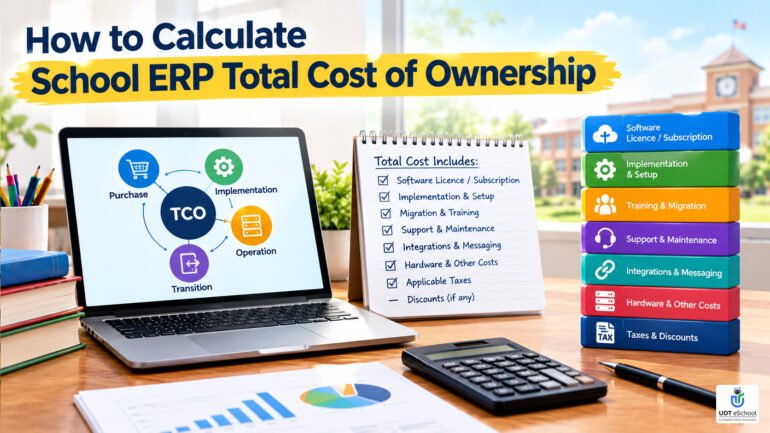
For school management, comparing the three-year or five-year cost can provide a more useful basis for decision-making than comparing first-year quotations alone.
Use this practical calculation
Total cost over the evaluation period =
Initial implementation and setup
-
software subscription or licence payments
-
migration and training
-
recurring support and maintenance
-
integrations, messaging and transaction-related expenses
-
hardware and other applicable costs
-
applicable taxes
− discounts that are contractually confirmed
For a one-time licence, include the initial licence fee, annual maintenance, hosting, upgrades and any other recurring expenses. For a subscription, include the subscription payments for every year being evaluated.
Avoid counting the same item twice. For example, if support is included in the subscription, do not add it again as a separate expense.
A vendor does not need to have the lowest quotation to be the right choice. The school needs enough documented information to understand the financial commitment, operational suitability and risks of the proposed solution.
Questions to Ask Before Signing a School ERP Contract
Before final approval, school management should ask the shortlisted provider:
-
What is the complete amount payable during the first year, including implementation, migration, training and applicable taxes?
-
What recurring charges will apply from the second year onward?
-
Which modules, users, students and campuses are covered by the quotation?
-
What happens if student strength increases or another branch is added?
-
Which services are supplied by third parties, and who pays those charges?
-
How are support requests handled, and what response times are committed in writing?
-
How frequently can subscription or maintenance fees increase?
-
Who is responsible for backups, access control, data protection and incident response?
-
Can the school export its data in a usable format if it changes providers?
-
What happens to the data and user access when the contract ends?
-
Are customization requests covered by the current agreement or billed separately?
-
Can the vendor provide a detailed scope of work and a written schedule of payments?
Record the answers in the contract or an agreed annexure wherever possible. Verbal assurances may not adequately protect the school when there is a disagreement later.
Is Cheaper School ERP Software Always Better?
No. The objective should be to find the most suitable solution for the school’s requirements and budget—not simply the lowest advertised price.
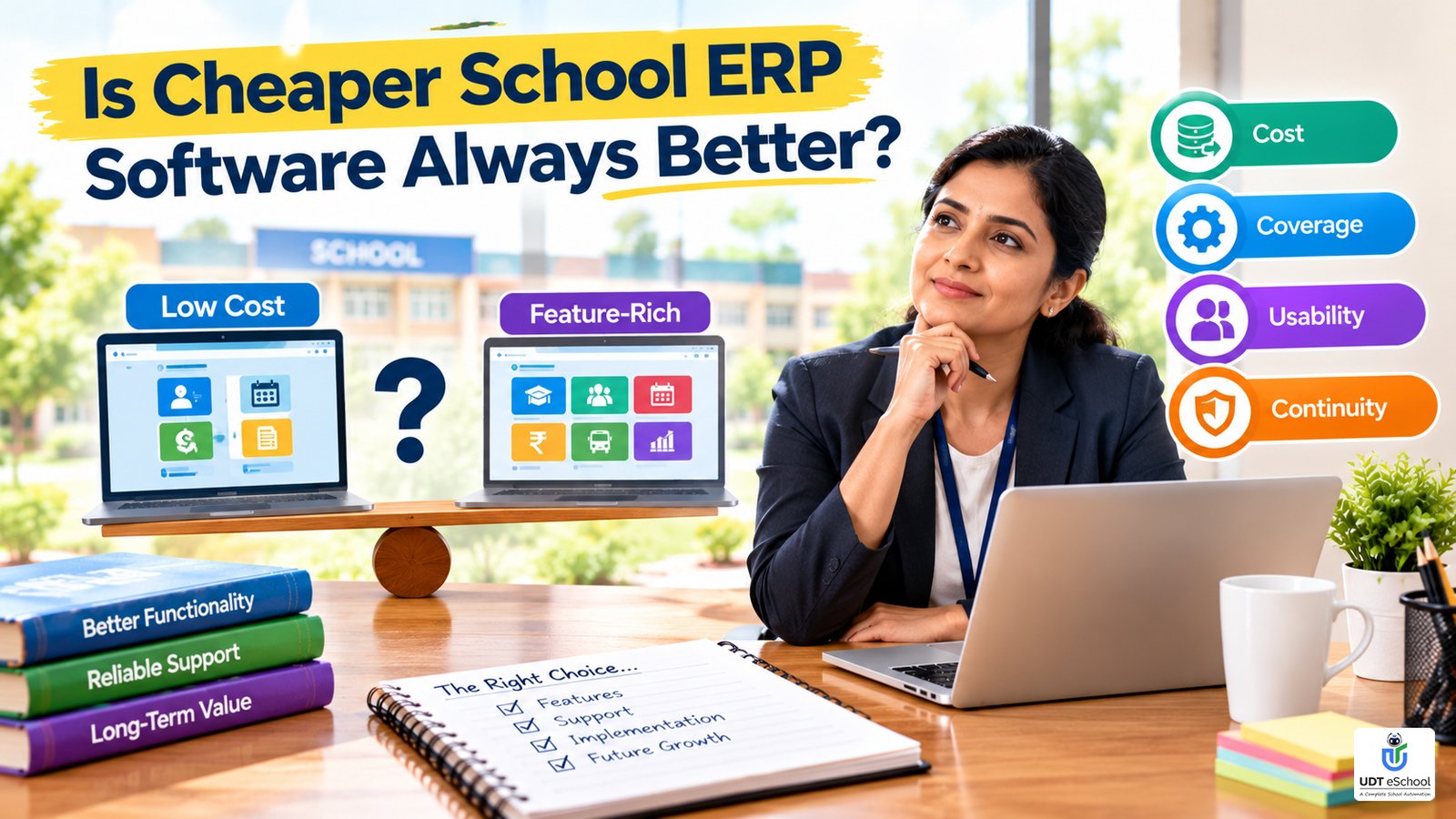
A low-cost package may be appropriate for a school with limited requirements. However, it may become unsuitable if essential modules, reliable support, migration assistance or required integrations are not included.
A more comprehensive package may be justified when it replaces several disconnected tools or provides capabilities the school genuinely needs. But a larger feature list does not automatically mean better value.
School leaders should consider four dimensions together:
-
Cost: What is the total financial commitment over the chosen period?
-
Coverage: Does the system meet the school’s present requirements?
-
Usability: Can staff and administrators use it effectively after training?
-
Continuity: Can the provider support the school’s needs as its operations grow?
For schools considering a broader technology upgrade, a structured digital transformation roadmap for schools can help place an ERP investment within a wider operational plan.
The best purchasing decision balances affordability with functionality, implementation quality, support and long-term flexibility.
How UDT eSchool Fits Into the Evaluation
UDT eSchool offers a cloud-based school management platform with web and mobile access. Its website describes capabilities covering areas such as admissions, fee management, attendance, examinations, payroll, communication and reporting. The exact modules, integrations and services available to a particular school should be confirmed during the demonstration and in the written quotation.

Schools evaluating a solution can explore the UDT eSchool school ERP platform to understand the available functionality.
During a product discussion, ask for a quotation based on your actual requirements, including:
-
Number of students, staff and campuses.
-
Modules needed immediately and those planned for a later phase.
-
Data migration and implementation support.
-
Training and ongoing service arrangements.
-
Any third-party integrations or usage-based charges.
-
Renewal terms and data-export provisions.
This creates a more useful basis for evaluation than selecting a package based only on a headline price.
Book Your Demo: +91-9690343000 | 9711400141
Visit UDT eSchool to discuss your school’s requirements.
Frequently Asked Questions About School ERP Software Cost in India
1. How much does school ERP software cost in India?
There is no single standard price. The amount depends on the vendor’s pricing model, student strength, modules, campuses, implementation requirements, support and additional services. Request a written quotation based on your school’s actual requirements.
2. What is included in school ERP software pricing?
Depending on the provider and package, pricing may include software access, hosting, updates, selected modules and technical support. Implementation, data migration, training, messaging, payment gateway charges and hardware may be billed separately. Confirm every inclusion in writing.
3. Is school ERP software charged monthly or annually?
Both arrangements are available, along with per-student pricing, fixed annual packages and one-time licensing models. The payment frequency and billing basis depend on the vendor’s terms.
4. What is the school ERP implementation cost?
Implementation cost depends on the scope of configuration, data migration, training, integrations and customization. Ask vendors to separate implementation charges from recurring subscription or maintenance fees.
5. Is cloud-based school ERP cheaper than one-time licensed software?
Not necessarily. Cloud software generally involves recurring subscription payments, while a one-time licence may require additional spending on maintenance, hosting, infrastructure and upgrades. Compare total costs over the same period before deciding.
6. Does school ERP pricing increase with the number of students?
It can. Some providers use student-based pricing or enrolment bands, while others use fixed packages or customized quotations. Ask how new admissions, withdrawals and changes in student strength affect billing.
7. Do multi-branch school groups pay more for ERP software?
The cost depends on the provider’s pricing model and the group’s requirements. Centralized reporting, branch-level permissions, consolidated fee monitoring and cross-branch workflows may affect the implementation scope and quoted price.
8. Are SMS, WhatsApp and online payment charges included?
Not always. Messaging and payment processing may involve separate usage or transaction charges. Confirm the applicable rates, billing responsibility and whether any allowance is included in the subscription.
9. How can a school avoid unexpected ERP expenses?
Request an itemized quotation covering setup, migration, training, modules, integrations, support, taxes, renewals and exit arrangements. Compare the total cost over at least three years using the same requirements for every vendor.
10. What should schools check before choosing an ERP vendor?
Evaluate functionality, usability, implementation support, data security, scalability, recurring costs, renewal terms and data portability. Ask the vendor to demonstrate essential workflows and document all commercial commitments before signing.
People Also Search For (PASF)
-
What is the price of school management software in India?
-
How do schools calculate ERP implementation costs?
-
Is school ERP software available on a subscription basis?
-
What are the hidden costs of school management software?
-
How do I compare school ERP vendors and quotations?
-
What is the difference between cloud ERP and licensed ERP?
-
How much does multi-branch school management software cost?
-
What should be included in a school ERP annual maintenance contract?
Ready to Transform Your School?
Empower your institution with an intelligent School ERP that streamlines administration, strengthens parent engagement, automates routine tasks, and helps school leaders make data-driven decisions with confidence.

✔ Reviewed & Published
UDT eSchool Editorial Team
This article has been researched, reviewed, and published by the UDT eSchool Editorial Team, specialists in School ERP Software, NEP 2020 implementation, CBSE reforms, AI in Education, Competency-Based Assessment, Holistic Progress Cards, Parent Engagement, and Digital School Transformation.
Editorial Standards
✔ Official CBSE Circulars
✔ Ministry of Education Guidelines
✔ NCERT Frameworks
✔ Education Industry Best Practices
✔ Reviewed Before Publication
✔ Updated as Policies Change
Editorial Expertise
School ERPNEP 2020CBSE ReformsHolistic Progress CardCompetency-Based AssessmentAI in EducationSchool Management
Digital Transformation
Article Information
| Content Type | Expert Educational Guide |
| Reviewed By | UDT eSchool Editorial Team |
| Fact Checked | ✔ Yes |
| Primary Sources | CBSE, NCERT, Ministry of Education & NEP 2020 |
| Updated | October 2026 |
| Article Version | Version 1.0 |

Education Technology Consultant at UDt eSchool with 10+ years of experience helping schools digitize operations and implement CBSE-aligned systems.