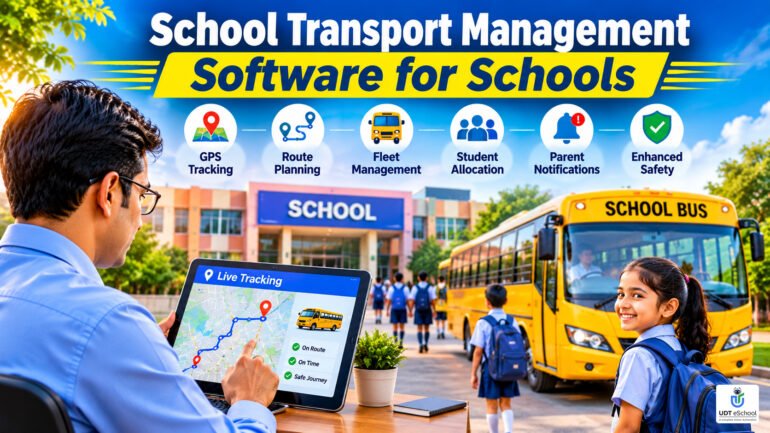
School Transport Management Software for Schools: A Practical Guide
Managing school transportation involves much more than arranging buses and assigning drivers. Schools must coordinate vehicle schedules, routes, pickup and drop locations, student allocations, parent communication and transport safety every day.
As student enrolment grows, these responsibilities become increasingly difficult to manage through registers, spreadsheets, phone calls and disconnected applications.
School transport management software helps schools organise their transportation operations digitally. It can bring vehicle information, route details, student allocations, GPS tracking and parent communication into a more coordinated system, depending on the features offered by the software.
For School Directors, Principals, Trustees and Transport Managers, choosing the right solution can improve operational visibility, simplify daily coordination and help parents stay informed about their children’s journeys.
This guide explains the important features of school transport management software, how schools can evaluate different solutions and what to consider before implementing a digital transport management system.
What Is School Transport Management Software?
School transport management software is a digital solution designed to help educational institutions manage their buses, vehicles, drivers, routes, student allocations and transportation-related information.
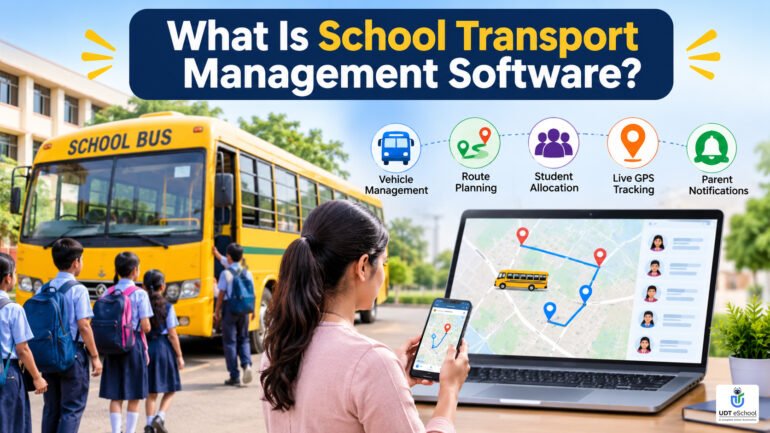
Instead of maintaining separate records for every transport activity, schools can use a centralised system to organise important operational details.
Depending on the software, its capabilities may include:
- Vehicle and driver information management.
- Route planning and pickup/drop-point allocation.
- Student-to-bus and student-to-route mapping.
- GPS-based vehicle tracking.
- Parent notifications and transport updates.
- Student boarding and drop-off records.
- Vehicle maintenance and document monitoring.
- Transport fee records and operational reports.
Some systems provide only basic vehicle and route administration, while others offer GPS integration, mobile applications, automated notifications and additional safety-related features.
Therefore, schools should evaluate the actual capabilities of a product rather than assuming that every transport management system includes all these functions.
Why Schools Need a Digital School Transport Management System
Transportation is a daily operational responsibility. Even a small change in a route, vehicle, driver or student pickup location can affect several people.
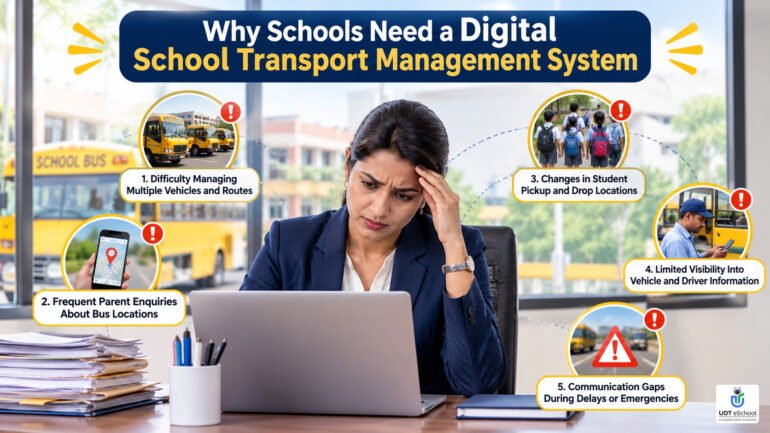
When information is maintained manually, transport managers often spend considerable time coordinating between the school office, drivers, attendants and parents.
Here are some common challenges.
1. Difficulty Managing Multiple Vehicles and Routes
Schools operating several buses and vans need accurate information about each vehicle, its assigned route, driver and pickup locations.
When these details are maintained in separate registers or spreadsheets, updating and retrieving information becomes difficult.
A digital transport management system can help maintain organised vehicle and route records in one place.
2. Frequent Parent Enquiries About Bus Locations
Parents naturally want to know whether the school bus is running on time and when their child will reach the pickup or drop-off point.
Without GPS-based tracking, the school office may receive repeated calls from parents asking about vehicle locations and delays.
A GPS-enabled school bus tracking system can provide location visibility through a suitable mobile application or tracking interface.
3. Changes in Student Pickup and Drop Locations
Students may change their residence, pickup location or transport requirements during the academic session.
When these changes are communicated through informal messages or phone calls, outdated information may continue circulating among drivers and transport staff.
A centralised record helps the transport team maintain updated student allocations and communicate approved changes.
4. Limited Visibility Into Vehicle and Driver Information
School management needs reliable information about the vehicles operating on different routes and the personnel responsible for them.
Manually checking driver details, vehicle documents, maintenance history and route assignments can consume administrative time.
A digital system can make these records easier to organise and retrieve.
5. Communication Gaps During Delays or Emergencies
Traffic congestion, vehicle breakdowns, unexpected route changes and other incidents may disrupt normal transportation schedules.
If communication depends entirely on individual phone calls, information may not reach every affected parent or school representative promptly.
A suitable transport management solution can support faster communication through available notification and emergency features.
7 Essential Features of School Transport Management Software
Not every school needs the same transport management capabilities. A school operating three buses may have different requirements from an institution managing a large fleet across several routes.
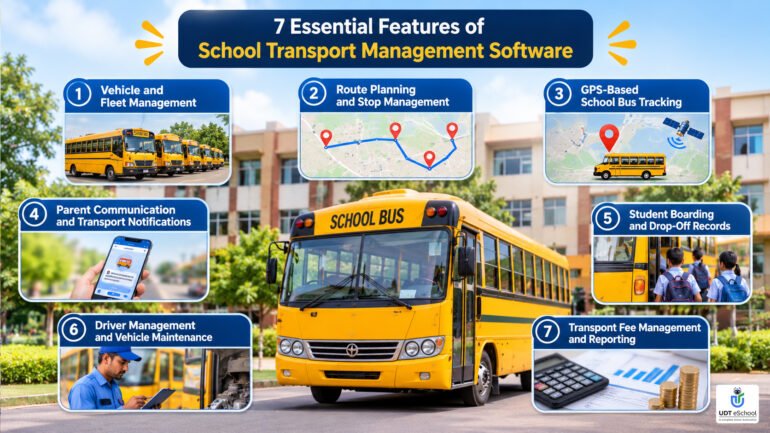
However, the following features are worth evaluating before selecting school transportation software.
1. Vehicle and Fleet Management
Vehicle management is the foundation of an organised school transport operation.
The software should allow the school to maintain essential details of its buses, vans and other authorised transport vehicles.
Important information may include:
- Vehicle registration number.
- Vehicle type and seating capacity.
- Registration and identification details.
- Assigned driver and attendant.
- Insurance and fitness certificate details.
- Permit and pollution certificate information.
- Vehicle availability and operational status.
A centralised vehicle database makes it easier for transport managers to retrieve information and maintain consistent records.
Schools should also check whether the software supports reminders for document renewals and vehicle inspections.
2. Route Planning and Stop Management
Route planning directly affects the daily functioning of school transportation.
The system should help schools organise pickup and drop-off locations, assign vehicles to routes and maintain an updated list of students travelling on each route.
Useful capabilities may include:
- Creating multiple bus routes.
- Defining pickup and drop-off stops.
- Assigning vehicles to specific routes.
- Maintaining stop sequences.
- Recording route timings.
- Assigning students to appropriate stops.
- Updating routes when operational requirements change.
Some advanced solutions also offer map-based route planning and route optimisation.
However, schools should distinguish between basic route allocation and automated route optimisation. They are not the same feature.
Automated optimisation may require mapping integrations, accurate location information and additional configuration.
3. GPS-Based School Bus Tracking
GPS tracking is one of the most useful features to consider when evaluating a school bus management system.
It allows authorised users to view the location of vehicles equipped with compatible GPS tracking facilities.
Depending on the system, tracking may be available through:
- A school administration dashboard.
- A transport manager’s mobile application.
- A parent-facing mobile application.
- A centralised map showing multiple vehicles.
GPS tracking can help transport managers monitor vehicle movement and give parents better visibility into their child’s school journey.
However, schools should ask vendors about location update frequency, tracking accuracy, connectivity requirements and compatibility with existing GPS devices.
They should also verify whether the system provides additional functions such as route deviation alerts, estimated arrival times and trip history.
Important: GPS tracking shows vehicle location. It does not independently confirm that a particular student has boarded or left the bus. These activities require a separate attendance or verification mechanism.
4. Parent Communication and Transport Notifications
Parents expect timely information about their children’s school transportation.
A well-designed school transportation software solution should make it easier for schools to share relevant updates with guardians.
Depending on the available features, communication may include:
- Bus timing updates.
- Route changes.
- Pickup and drop-off information.
- Delay announcements.
- Emergency-related messages.
- Transport-related notices.
Mobile app notifications, SMS and other communication channels can reduce dependence on repeated individual phone calls.
Schools should verify whether notifications are automated or need to be initiated manually by administrators.
They should also check whether communication can be targeted to parents using a particular vehicle or route rather than sending every update to the entire school.
5. Student Boarding and Drop-Off Records
Vehicle tracking and student attendance are two different operational requirements.
Knowing where a bus is does not necessarily tell the school whether every assigned student has boarded or safely completed the journey.
For schools that need student-level transport attendance, the software should support a suitable boarding and drop-off verification process.
Possible methods include:
- Manual attendance by an authorised attendant.
- RFID-based student identification.
- QR-code scanning.
- Other approved digital verification methods.
The system may also maintain boarding and drop-off timestamps and generate notifications for parents, where supported.
Before purchasing a system, schools should check whether student-level boarding records are included or require additional devices, applications or integrations.
6. Driver Management and Vehicle Maintenance
School transport operations depend on both vehicles and the people operating them.
A transport management system should ideally help maintain organised driver and attendant information.
Depending on the product, useful records may include:
- Driver name and contact details.
- Driving licence information.
- Assigned vehicle and route.
- Driver availability.
- Vehicle servicing history.
- Repair and maintenance records.
- Insurance and permit renewal dates.
- Fitness and other applicable document details.
Schools should check whether the software supports document expiry reminders, maintenance schedules and historical records.
These functions can help the transport department maintain better administrative control.
However, software records do not replace physical vehicle inspections, valid documentation or the responsibility of school management to enforce applicable safety procedures.
7. Transport Fee Management and Reporting
Transport fees may vary according to distance, route, pickup location or the school’s fee policy.
Maintaining these records separately from the main student database can create unnecessary administrative work.
Where available, transport fee management should support:
- Route-wise or stop-wise fee information.
- Student transport fee records.
- Fee collection status.
- Outstanding transport dues.
- Changes in transport allocation.
- Transport-related financial reports.
Schools should verify whether the transport module is integrated with the main school fee management system or operates independently.
Integration can reduce duplicate data entry and help administrators access more consistent student and financial information.
How GPS Tracking Improves School Bus Monitoring
GPS-based vehicle monitoring can make transportation operations more transparent for school management and parents.
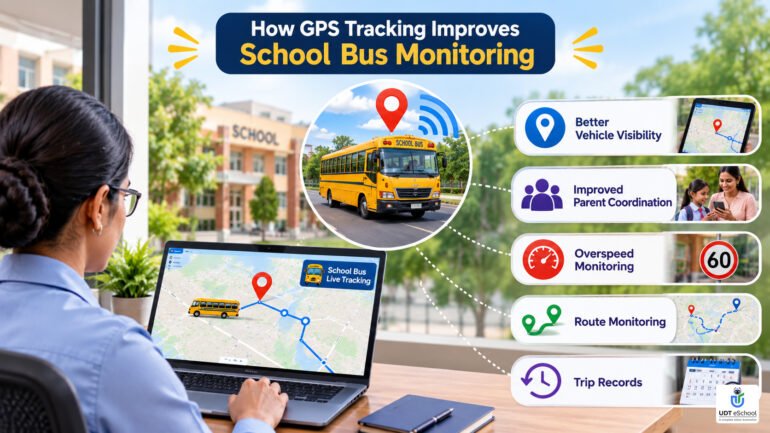
A GPS-enabled school bus tracking system uses location information from a compatible tracking device or supported tracking application to display vehicle movement.
Its practical benefits may include:
Better vehicle visibility: Transport managers can view the location of tracked vehicles without depending entirely on calls to individual drivers.
Improved parent coordination: Parents can check the available vehicle location information before leaving for a pickup point.
Overspeed monitoring: Where compatible systems support speed monitoring, administrators can receive alerts when configured speed limits are exceeded.
Route monitoring: Some advanced solutions can identify deviations from assigned routes.
Trip records: Depending on the software, historical tracking information may help administrators review vehicle movement.
Schools should remember that GPS is a monitoring aid, not a guarantee of safe transportation. Proper driver supervision, trained attendants, vehicle inspections and established safety procedures remain essential.
School Transport Safety: What Management Should Monitor
Student transportation requires careful attention to vehicle condition, staff responsibilities and operational procedures.
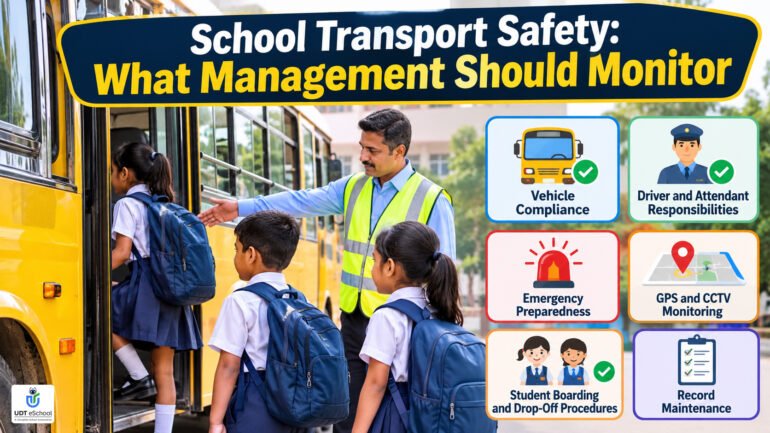
For CBSE-affiliated schools, the CBSE guidelines for transport facilities in schools outline important requirements relating to bus identification, GPS and CCTV arrangements, driver and attendant responsibilities, emergency facilities and student safety.
Schools should also review applicable government and state transport requirements, including the relevant AIS-063 school bus requirements published by the Ministry of Road Transport and Highways.
A digital transport system can support administrative monitoring by helping schools organise records and track selected operational information.
The following areas deserve particular attention:
Vehicle Compliance
Maintain records of applicable vehicle registration, insurance, permits, fitness certificates and other required documents.
Driver and Attendant Responsibilities
Maintain accurate staff details, assigned responsibilities and relevant qualification or licence information.
Emergency Preparedness
Schools should establish clear procedures for breakdowns, accidents, medical emergencies and unexpected route disruptions.
GPS and CCTV Monitoring
Where installed, GPS and CCTV equipment should be checked regularly to ensure that the systems remain functional.
Student Boarding and Drop-Off Procedures
Schools should establish clear procedures to verify student boarding and ensure that children are handed over according to authorised arrangements.
Record Maintenance
Maintain appropriate vehicle logs, incident records, maintenance information and transport-related documentation.
A school transport management system can support these administrative processes, but it cannot independently establish legal compliance or guarantee student safety.
Common Challenges in Managing School Transportation
Even schools with an established transport department can experience operational difficulties.
| Challenge | How a digital system can help |
|---|---|
| Scattered vehicle records | Centralised vehicle information |
| Difficult route coordination | Organised route and stop records |
| Repeated parent enquiries | GPS tracking and available notifications |
| Unclear student allocations | Updated student-to-route mapping |
| Missing boarding information | Digital boarding records, where supported |
| Expiring vehicle documents | Renewal reminders, where available |
| Separate fee records | Integrated transport fee management, where supported |
| Limited operational visibility | Consolidated dashboards and reports |
The actual benefits depend on how the system is configured and whether school staff consistently maintain accurate information.
School Transport Management Software vs Manual Management
Many schools continue to manage transportation through registers, spreadsheets, printed route lists and telephone communication.
These methods may be sufficient for a small operation, but they can become difficult to coordinate as the number of vehicles, students and routes increases.
| Area | Manual management | Digital transport management |
|---|---|---|
| Vehicle information | Separate registers and files | Centralised digital records |
| Route allocation | Spreadsheets and printed lists | Organised route records |
| Student allocation | Manual updates | Digital student mapping |
| Vehicle location | Phone calls to drivers | GPS tracking, if supported |
| Parent updates | Individual calls and messages | App or SMS notifications, if supported |
| Boarding records | Paper-based attendance | Digital verification, if supported |
| Reports | Manual compilation | System-generated reports, if supported |
Digital management does not eliminate the need for human supervision. It helps reduce repetitive administrative work and makes relevant information easier to access.
How to Choose the Right School Transport Management Software
Selecting software should begin with an understanding of the school’s current transport operations.
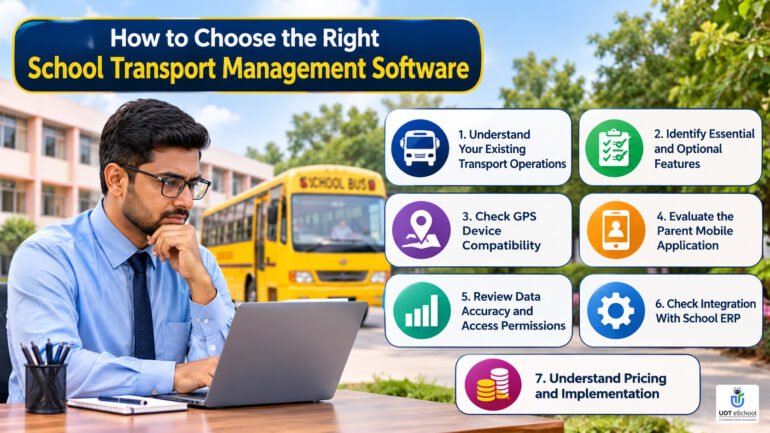
Before evaluating vendors, management should identify the problems it wants to solve and the features that will make a practical difference.
Consider the following selection criteria.
1. Understand Your Existing Transport Operations
Prepare an overview of:
- Total vehicles operated by the school.
- Number of routes and pickup points.
- Total students using school transportation.
- Number of drivers and attendants.
- Existing GPS devices and CCTV systems.
- Current parent communication methods.
This information will help vendors understand the school’s requirements.
2. Identify Essential and Optional Features
Not every school needs every available feature.
For example, a school may initially prioritise GPS tracking and parent communication, while another may need student boarding verification and detailed vehicle maintenance records.
Separate essential requirements from optional capabilities before comparing products.
3. Check GPS Device Compatibility
If the school already has GPS devices installed, ask whether the proposed software can integrate with the existing hardware.
Clarify whether additional devices, subscriptions or installation charges are required.
4. Evaluate the Parent Mobile Application
Parents should be able to access relevant transport information without complicated procedures.
Check whether the application supports vehicle tracking, notifications and the information parents actually need.
Also verify whether the app is available for the mobile platforms used by the school’s parent community.
5. Review Data Accuracy and Access Permissions
Student transport information should be accessible only to authorised users.
Check whether the software provides role-based access for administrators, transport managers, drivers, attendants and parents.
Also understand how student and location information is stored, protected and retained.
6. Check Integration With School ERP
A transport module that works with the school’s wider management system can reduce duplicate records.
For example, student information, parent contact details and fee records may already exist in the school database.
Ask whether the transport solution can use these records through an integrated workflow.
7. Understand Pricing and Implementation
Compare the complete cost rather than only the initial software subscription.
Ask about:
- Software licensing or subscription charges.
- GPS hardware and installation costs.
- Mobile application charges.
- SMS or notification charges.
- Data migration.
- Staff training.
- Technical support.
- Annual renewal and maintenance charges.
A transparent cost structure helps schools avoid unexpected expenses later.
Questions Schools Should Ask Before Buying Transport Software
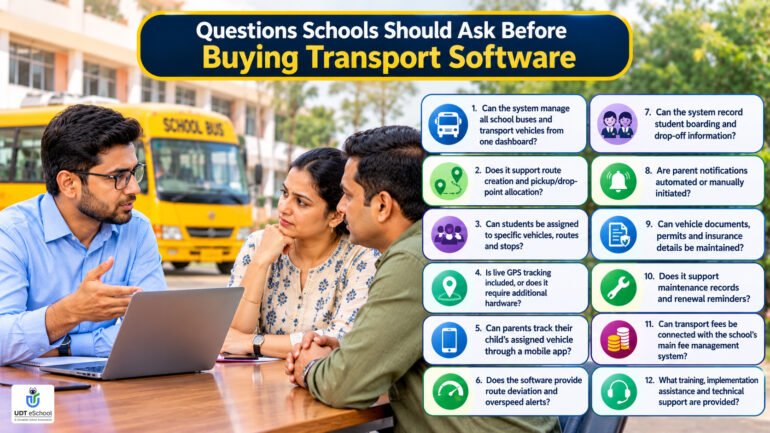
Before finalising a vendor, School Directors and Transport Managers should ask the following questions:
- Can the system manage all school buses and transport vehicles from one dashboard?
- Does it support route creation and pickup/drop-point allocation?
- Can students be assigned to specific vehicles, routes and stops?
- Is live GPS tracking included, or does it require additional hardware?
- Can parents track their child’s assigned vehicle through a mobile app?
- Does the software provide route deviation and overspeed alerts?
- Can the system record student boarding and drop-off information?
- Are parent notifications automated or manually initiated?
- Can vehicle documents, permits and insurance details be maintained?
- Does it support maintenance records and renewal reminders?
- Can transport fees be connected with the school’s main fee management system?
- What training, implementation assistance and technical support are provided?
Ask vendors to demonstrate these workflows using realistic school transport scenarios instead of relying only on feature presentations.
How to Implement School Transportation Software Successfully
Implementing a new transport management system requires coordination between school management, the transport department and the software provider.
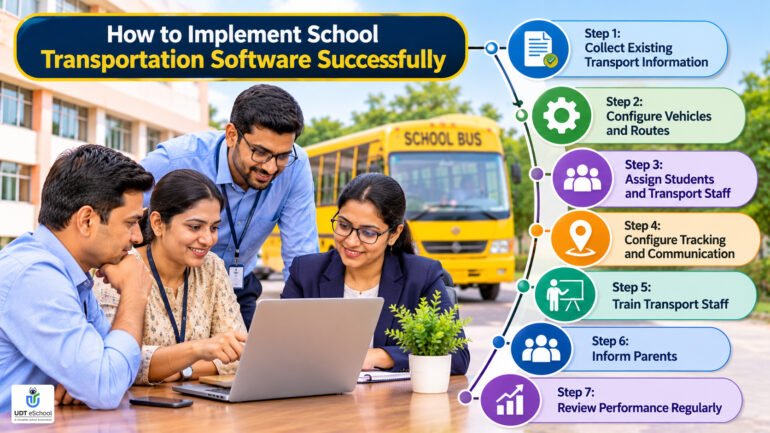
A structured approach can make the transition easier.
Step 1: Collect Existing Transport Information
Compile vehicle details, driver records, student allocations, routes, pickup points and parent contact information.
Review the accuracy of the existing data before migration.
Step 2: Configure Vehicles and Routes
Create vehicle records and organise the routes and stops according to the school’s approved transportation arrangements.
Step 3: Assign Students and Transport Staff
Map each student to the appropriate vehicle, route and pickup/drop-off location.
Assign drivers and attendants according to the school’s operational plan.
Step 4: Configure Tracking and Communication
Where GPS and parent communication features are available, configure the necessary devices, applications and notification settings.
Test the tracking and communication workflows before making them available to all parents.
Step 5: Train Transport Staff
Train transport managers, drivers, attendants and administrative staff to use the functions relevant to their responsibilities.
Staff should also understand what to do when a device stops working or an unexpected transport issue occurs.
Step 6: Inform Parents
Explain how parents can access transport information, use the application and contact the school regarding transport-related concerns.
Share clear instructions rather than assuming every parent is familiar with the technology.
Step 7: Review Performance Regularly
Monitor route records, communication effectiveness, parent feedback and system usage.
Review the implementation periodically and make adjustments where necessary.
How UDT eSchool Supports Digital School Transport Management
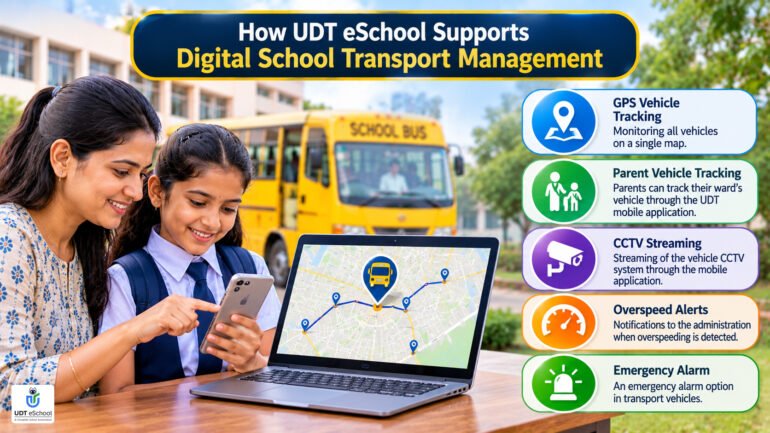
UDT eSchool offers an iTransport module as part of its school management platform.
The published iTransport capabilities include:
- GPS vehicle tracking: Monitoring all vehicles on a single map.
- Parent vehicle tracking: Parents can track their ward’s vehicle through the UDT mobile application.
- CCTV streaming: Streaming of the vehicle CCTV system through the mobile application.
- Overspeed alerts: Notifications to the administration when overspeeding is detected.
- Emergency alarm: An emergency alarm option in transport vehicles.
These features can help schools improve vehicle visibility, give parents access to transport-related information and support administrative monitoring.
UDT eSchool also provides wider school management functionality, allowing institutions to consider transportation alongside other school operations.
Schools evaluating the platform can explore its School ERP Software and iTransport module details to understand the published capabilities.
Before implementation, schools should confirm the availability, configuration, hardware requirements and commercial terms of the specific features they need.
Conclusion: Make School Transportation More Organised and Transparent
School transportation is an important responsibility that requires coordination, accurate records and continuous attention to student safety.
Managing buses, routes, drivers, student allocations and parent communication manually can become increasingly difficult as school operations expand.
The right school transport management software can help schools organise these activities, improve access to vehicle information and provide parents with better transport visibility.
However, schools should look beyond basic GPS tracking when selecting a solution. Vehicle records, route management, parent communication, student boarding procedures, maintenance information and integration with the wider school ERP should all be considered.
For school management teams looking to modernise transportation operations, a structured evaluation of available software can be a useful first step.
Book Your Demo
Explore how UDT eSchool can support your school’s digital management and transport monitoring requirements.
Call: +91-9690343000 | 9711400141
Website: https://udteschool.com/
Frequently Asked Questions About School Transport Management Software
1. What is school transport management software?
School transport management software is a digital system that helps schools manage vehicles, drivers, routes, student allocations and transportation-related information. Depending on the product, it may also provide GPS tracking, parent notifications and student boarding records.
2. What are the main features of a school bus management system?
Common features include vehicle management, route planning, student allocation, GPS tracking, parent communication, driver records and transport reporting. Advanced solutions may also support boarding verification, vehicle maintenance and transport fee management.
3. Can parents track school buses through GPS?
Yes. Schools using GPS-enabled transport software with a parent-facing tracking facility can allow authorised parents to view their child’s assigned vehicle location through a mobile application or web interface.
The availability and accuracy of tracking depend on the GPS hardware, connectivity and software configuration.
4. How does school transportation software help with route planning?
It can help schools create routes, define pickup and drop-off stops, assign vehicles and allocate students to appropriate locations. Some advanced systems also provide map-based route planning and automated route optimisation.
5. Does school bus tracking software confirm whether a student has boarded the bus?
Not automatically. GPS tracking identifies vehicle location, whereas student boarding requires a separate verification process. Depending on the system, this may involve manual attendance, RFID cards, QR codes or other identification methods.
6. Can school transport management software send notifications to parents?
Some systems support app notifications or SMS updates for vehicle movement, delays, route changes and other transport-related information. Schools should verify which notifications are available and whether they are automated.
7. Can transport software manage vehicle documents and maintenance?
Some transport management systems provide vehicle records, maintenance logs and document expiry reminders. However, these functions vary between vendors and should be checked during product evaluation.
8. Is GPS tracking enough to ensure school bus safety?
No. GPS tracking can improve vehicle visibility, but it cannot independently guarantee student safety. Schools must also maintain suitable vehicles, trained drivers and attendants, supervision, emergency procedures and compliance with applicable transport regulations.
9. Can school transport software integrate with school ERP?
Yes, many school ERP platforms offer transport functionality as part of a broader management system. Integration can help schools connect student information, parent details, transport allocations and fee records, depending on the available modules.
10. How should a school select the right school transport management system?
Schools should compare route management, GPS tracking, parent communication, student boarding records, vehicle documentation, maintenance features, ERP integration, pricing, training and technical support. A live demonstration using actual school requirements is recommended.
People Also Search For (PASF)
- Best school transport management software in India
- School bus management system with GPS tracking
- School bus tracking software for parents
- School transportation management system
- GPS tracking app for school buses
- School bus route planning software
- Student bus attendance management system
- School vehicle management software
- School transport fee management system
- School bus safety management software
- School transport software with parent app
- How to manage school bus routes efficiently
Book Your Demo: +91-9690343000 | 9711400141
Ready to Transform Your School?
Empower your institution with an intelligent School ERP that streamlines administration, strengthens parent engagement, automates routine tasks, and helps school leaders make data-driven decisions with confidence.

✔ Reviewed & Published
UDT eSchool Editorial Team
This article has been researched, reviewed, and published by the UDT eSchool Editorial Team, specialists in School ERP Software, NEP 2020 implementation, CBSE reforms, AI in Education, Competency-Based Assessment, Holistic Progress Cards, Parent Engagement, and Digital School Transformation.
Editorial Standards
✔ Official CBSE Circulars
✔ Ministry of Education Guidelines
✔ NCERT Frameworks
✔ Education Industry Best Practices
✔ Reviewed Before Publication
✔ Updated as Policies Change
Editorial Expertise
School ERPNEP 2020CBSE ReformsHolistic Progress CardCompetency-Based AssessmentAI in EducationSchool Management
Digital Transformation
Article Information
| Content Type | Expert Educational Guide |
| Reviewed By | UDT eSchool Editorial Team |
| Fact Checked | ✔ Yes |
| Primary Sources | CBSE, NCERT, Ministry of Education & NEP 2020 |
| Updated | November 2026 |
| Article Version | Version 1.0 |

Education Technology Consultant at UDt eSchool with 10+ years of experience helping schools digitize operations and implement CBSE-aligned systems.