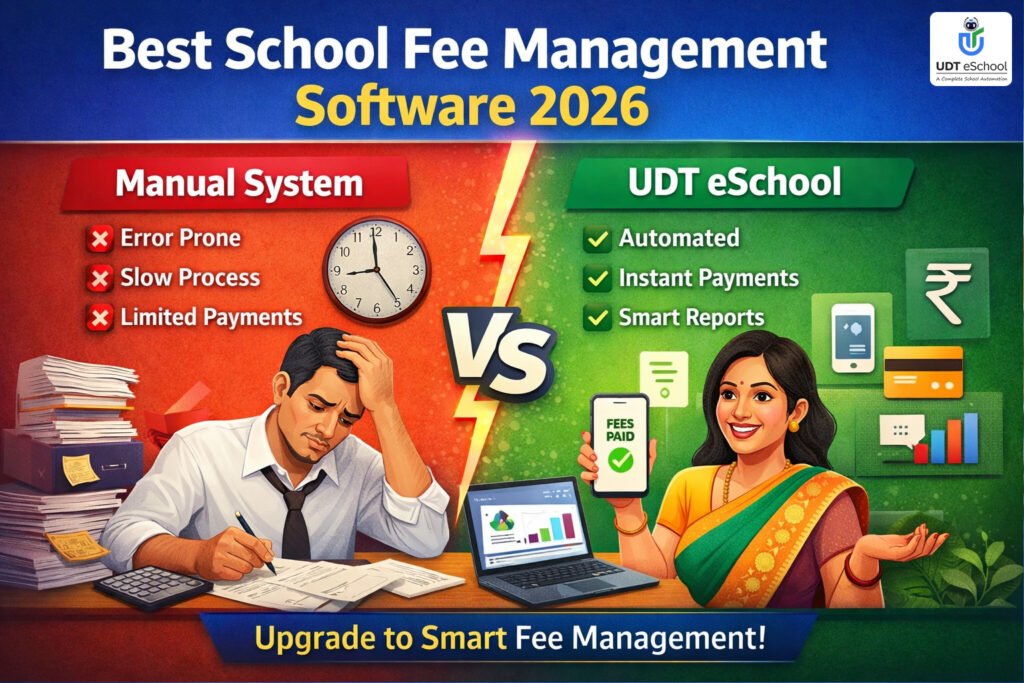
School Admission Management Software: A Practical Guide for Schools
Managing school admissions involves much more than receiving application forms and entering student details. Schools handle enquiries from parents, campus visits, counselling, application submissions, document verification, admission decisions and final registration. When these activities are managed through separate registers, spreadsheets, phone calls and messages, keeping track of every prospective student becomes difficult.
School admission management software helps schools organise these activities through a more structured digital process. It gives admission teams a way to maintain enquiry records, track follow-ups, monitor application progress and provide management with a clearer view of the admission pipeline.
For school owners, directors, principals and admission administrators, the objective is not simply to digitise paperwork. It is to establish a reliable process in which every enquiry and application has a clear status, responsible person and next action.
In this guide, we explain how schools can evaluate admission management software, which features matter, how the admission workflow can be organised and what administrators should check before selecting a solution.
What Is School Admission Management Software?
School admission management software is a digital system that helps educational institutions organise and monitor the activities involved in admitting new students.

Depending on the software and its configuration, it can support different stages of the admission process, including:
- Recording enquiries received from parents.
- Maintaining prospective student and guardian information.
- Tracking calls, campus visits and follow-up activities.
- Collecting and reviewing admission applications.
- Maintaining document submission and verification status.
- Monitoring application progress.
- Recording admission decisions and registration details.
- Generating admission-related reports for administrators.
Instead of maintaining information across disconnected records, schools can use a centralised process to improve the visibility of admission activities.
The exact capabilities differ between software providers. Schools should confirm which features are included, which require configuration and which may involve additional charges.
Why Do Schools Need a Better Admission Management Process?
Admission periods can place considerable pressure on school administrative teams. Enquiries arrive through different channels, parents expect timely responses and administrators must coordinate information between admission counsellors, the front office and school management.

When there is no standardised process, several problems can develop.
1. Enquiries Get Scattered Across Different Channels
Parents may contact schools through telephone calls, WhatsApp, website enquiry forms, emails, advertisements and direct campus visits.
If these enquiries are maintained in separate notebooks, personal phones or spreadsheets, the admission team may not have a complete picture of prospective students.
2. Follow-Ups Depend on Individual Staff Members
A parent may request a campus visit or additional information and expect a response later.
If the next follow-up is not recorded, the responsibility may become unclear, especially when staff members are absent or responsibilities change.
3. Application Information Gets Repeatedly Entered
When enquiry details, registration forms and student records are maintained separately, the same information may have to be entered multiple times.
This creates additional work and increases the possibility of spelling mistakes, incomplete records and inconsistent information.
4. Document Verification Becomes Difficult to Monitor
Schools may need to review documents such as birth certificates, previous school records, transfer certificates, photographs and other documents required under their admission policy.
Without a clear record of what has been received and verified, administrators may find it difficult to identify pending requirements.
5. Management Lacks a Clear View of Admission Progress
School directors and principals need more than a final admission count.
They may also want to understand how many enquiries have been received, how many applications are pending, which classes have greater demand and where follow-ups are getting delayed.
A structured admission management process helps bring this information together.
How School Admission Management Software Organises the Admission Process
The most useful way to evaluate an admission system is to follow the actual journey of a prospective student.

1. Centralised Admission Enquiry Management
The admission process generally starts when a parent contacts the school to enquire about available classes, fee structures, facilities, admission eligibility or the application procedure.
A suitable school enquiry management software solution should allow the admission team to maintain enquiry details in one organised location.
Important information may include:
- Student’s name and date of birth.
- Parent or guardian contact details.
- Class or grade being considered.
- Academic session.
- Enquiry date.
- Enquiry source.
- Assigned admission counsellor.
- Current enquiry status.
Schools should also evaluate whether the system can record enquiries received through telephone calls, website forms, walk-ins and digital communication channels.
Why this matters: A centralised record reduces dependence on individual registers and makes it easier for authorised staff members to locate and review enquiry information.
2. Follow-Up Tracking and Counselling
Recording an enquiry is only the beginning. Parents may need additional information before deciding whether to proceed with an application.
A school admission software system should help staff maintain follow-up records and identify the next action.
For example, a prospective admission record could follow this sequence:
- New enquiry received.
- Initial contact completed.
- Information shared with parent.
- Campus visit requested.
- Campus visit completed.
- Application form submitted.
- Documents under verification.
- Admission decision pending.
- Admission confirmed or application closed.
Schools should check whether the software supports follow-up dates, assigned staff members, interaction history, reminders and status updates.
These capabilities should be demonstrated during the vendor evaluation rather than assumed from a product brochure.
3. Application Registration and Student Information
Once parents decide to proceed, the next stage is application registration.
A student admission management system may provide online or digitally maintained application forms to collect relevant student and guardian information.
Depending on the school’s requirements, the form may include:
- Student’s personal details.
- Date of birth.
- Parent or guardian information.
- Contact details.
- Previous school details.
- Class applied for.
- Academic session.
- Emergency contact information.
- Other information required by the school’s admission policy.
Schools should check whether forms can be customised for different classes and admission categories.
They should also establish how incomplete applications are identified and how submitted information is reviewed.
4. Document Collection and Verification
Document management is an important part of the admission process.
Schools may require different documents depending on the student’s class, previous educational background and applicable admission rules.
Common examples include:
- Birth certificate or accepted age-proof document.
- Previous school’s report card.
- Transfer certificate, where applicable.
- Passport-size photograph.
- Parent or guardian identification details, where required.
- Other documents specified by the school’s policy.
A useful admission management system should make it possible to identify which documents have been received, which are pending and which require further verification.
However, document collection and verification are not the same activity. Uploading a document should not automatically be treated as confirmation that the document is valid.
The admission team must retain responsibility for reviewing documents against the school’s requirements.
5. Admission Status and Parent Communication
Parents should not have to repeatedly contact the school just to understand the next step in the admission process.
A structured communication process can help schools provide relevant updates about:
- Application submission.
- Pending information.
- Document requirements.
- Campus visit schedules.
- Admission decisions.
- Registration requirements.
- Important admission deadlines.
Schools should evaluate whether the software supports SMS, email, mobile notifications or other communication methods required by their parents.
They should also check whether messages can be linked to the correct student or enquiry record.
6. Admission Confirmation and Student Record Creation
Once an application has been approved and the parent completes the school’s required admission formalities, the institution must maintain the student’s final registration information.
A well-integrated system should be evaluated for its ability to transfer verified application details into the student information system without unnecessary duplicate data entry.
Schools should specifically ask vendors whether student records can be created from approved applications and whether the process preserves the original application information.
The final workflow should also account for class allocation, academic session, applicable fee structure and other administrative requirements.
Do not assume that every admission system automatically supports this entire process.
7. Admission Reports and Management Visibility
Admission information becomes more useful when it can be converted into reports that help school management review progress.
A school admission management software platform may provide reports covering:
- Total enquiries received.
- Enquiries by class.
- Enquiries by source.
- Applications submitted.
- Applications awaiting documents.
- Applications under review.
- Confirmed admissions.
- Pending follow-ups.
- Enquiry-to-application progress.
- Admission growth across academic sessions.
For example, if a school receives enquiries for Nursery, Class I and Class VI, management may want to compare the enquiry and application activity across these classes.
Such reports help administrators identify areas requiring attention. They should not be interpreted as guaranteed predictors of future admissions.
Important Features to Evaluate Before Selecting School Admission Software
Not every school requires the same admission workflow. A small standalone school may need a relatively simple enquiry and application system, while a larger institution may require more detailed reporting and coordination across departments.
The following features deserve attention during vendor evaluation.
| Feature | What schools should check |
|---|---|
| Enquiry management | Centralised enquiry records and source tracking |
| Follow-up tracking | Next-action dates, assigned staff and interaction history |
| Application forms | Customisable student and guardian information fields |
| Document management | Submission, pending status and verification records |
| Admission workflow | Configurable application stages and status tracking |
| Communication | SMS, email or notification options |
| Admission reports | Class-wise, session-wise and status-wise reports |
| Student records | Transfer of approved information into student records |
| User permissions | Access based on staff responsibilities |
| Data security | Access controls, backups and security practices |
| Integration | Compatibility with existing school systems |
| Support | Training, technical assistance and ongoing maintenance |
Schools should ask the provider to demonstrate these functions using a realistic admission scenario rather than relying only on screenshots or presentations.
How School Management Can Monitor the Admission Pipeline
An organised admission pipeline gives school leadership a better understanding of what is happening at each stage.
For example, consider the following illustrative admission report:
| Admission stage | Number of records |
|---|---|
| New enquiries | 200 |
| Contact completed | 165 |
| Campus visits completed | 95 |
| Applications submitted | 75 |
| Documents under review | 30 |
| Admissions confirmed | 50 |
These are illustrative figures, not actual UDT eSchool customer results.
Such a report can help management ask practical questions:
- Are new enquiries being contacted on time?
- Are parents receiving the information they need?
- Are campus visits being followed by further communication?
- Are applications waiting too long for document verification?
- Which classes require additional administrative attention?
- Are admission records being updated consistently?
Management should review both overall numbers and the quality of the underlying records.
For example, a large number of enquiries does not necessarily mean that a school will receive an equivalent number of applications. The purpose of monitoring is to understand the process and identify where action may be required.
Data Privacy and Security in School Admission Management
Admission records contain personal information about children and their parents or guardians. This information must be handled responsibly.
Schools should not treat data security as an optional feature when selecting admission software.
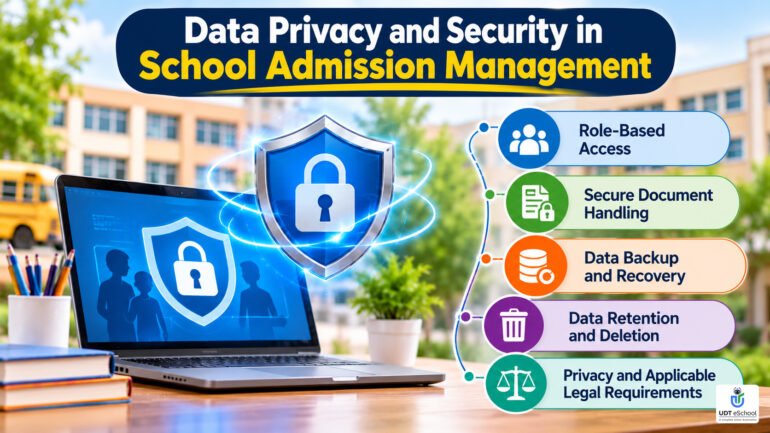
Important precautions include:
Role-Based Access
Only authorised staff members should have access to the information required for their responsibilities.
For example, an admission counsellor may need to view enquiry and follow-up records, while a senior administrator may require access to broader admission reports.
Secure Document Handling
Documents containing personal information should be stored in a controlled environment. Schools should understand how the software protects uploaded files and prevents unauthorised access.
Data Backup and Recovery
Ask the provider how frequently backups are taken, where they are maintained and what recovery procedures are available if information is lost or a system becomes unavailable.
Data Retention and Deletion
Schools should understand how long applicant information is retained, how outdated records are handled and how information can be retrieved or deleted when appropriate.
Privacy and Applicable Legal Requirements
India has notified the Digital Personal Data Protection Act, 2023 and the Digital Personal Data Protection Rules, 2025, with provisions having phased commencement.
Schools should review the applicable requirements and seek appropriate legal guidance when establishing processes for collecting, using, storing and sharing children’s personal information.
The Government of India’s DPDP Rules notification and privacy framework are useful starting points for understanding the framework.
Schools should also establish clear procedures for handling parent or guardian information and any consent requirements applicable to their activities.
Admission Rules and Documentation: Why Software Configuration Matters
A digital admission process must follow the school’s approved admission policy and applicable government or board requirements.
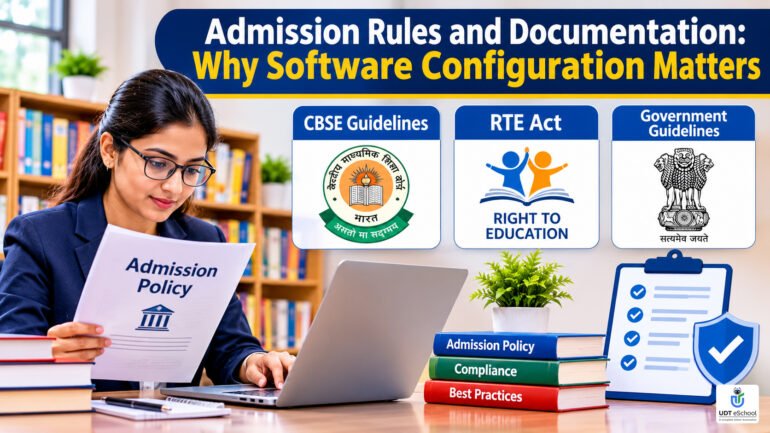
For CBSE-affiliated schools, admission requirements can vary by class and circumstances. The CBSE admission provisions address matters such as qualifying examinations, age requirements, transfer certificates and other eligibility conditions.
Schools can consult the CBSE admission and transfer provisions when reviewing their procedures.
For admissions governed by the Right of Children to Free and Compulsory Education Act, schools should also refer to the relevant Government of India RTE information and guidelines.
A software platform should support the school’s authorised workflow. It should not replace the responsibility of school management to understand and follow the applicable rules.
How to Implement School Admission Management Software
Selecting the right platform is only one part of the process. Successful implementation also depends on preparation, staff responsibilities and training.

Step 1: Review the Existing Admission Process
Identify how enquiries are currently received, recorded and followed up.
Understand where information is duplicated, where delays occur and which reports management needs.
Step 2: Define Admission Stages
Create a clear sequence of admission stages, from new enquiry to final admission.
Assign responsibility for each stage so that staff members understand their tasks.
Step 3: Decide Which Information Must Be Collected
Review the application form and document checklist.
Collect only the information necessary for the admission process and applicable requirements.
Step 4: Configure User Roles
Decide which team members need access to enquiry records, applications, documents, communication and reports.
Avoid giving unnecessary access to sensitive information.
Step 5: Train the Admission Team
Train front-office staff, admission counsellors and administrators on recording enquiries, updating application status and managing follow-ups.
A system is useful only when staff members follow a consistent process.
Step 6: Test the Workflow Before Launch
Test a sample admission journey, from initial enquiry through application review and final registration.
Check whether information is recorded correctly and whether management reports reflect the actual workflow.
Step 7: Review Performance Regularly
After implementation, review enquiry records, pending applications, follow-up activity and reporting accuracy.
Make adjustments where the admission process requires improvement.
Practical Vendor Selection Checklist for School Admission Software

Before purchasing a school admission management system, school directors and administrators should ask vendors the following questions.
- Can the software maintain all admission enquiries in one centralised system?
- Can enquiries be classified according to class, academic session and source?
- Can follow-ups be assigned to specific admission staff members?
- Does the system maintain a history of parent interactions?
- Can application forms be customised according to school requirements?
- Can the admission team track pending and verified documents separately?
- Can the school configure its own admission stages and status categories?
- Are communication facilities available through the channels used by parents?
- Can approved applications be transferred into student records?
- Can management generate class-wise and session-wise admission reports?
- Are user permissions, security safeguards, backups and data export facilities clearly explained?
- Are implementation, training, support, integration and additional charges clearly defined?
A practical tip: Ask the vendor to demonstrate one complete admission case during the product presentation. Start with a new enquiry, record a follow-up, submit an application, update document status and review the admission report.
This exercise will help the school understand how the software works in practice rather than relying on a feature list.
How UDT eSchool Supports School Admission Management
UDT eSchool provides school administration and ERP solutions designed to bring different school operations into a more organised digital environment.

Its published modules include registration and admission management, enquiry management, admission growth analysis and follow-up activities.
The UDT eSchool School ERP platform includes an Enquiry System that maintains enquiry records, allows them to be classified and grouped, and supports updates and follow-ups through SMS notifications.
The UDT eSchool module overview also describes registration and admission management, including year-on-year admission growth analysis, alongside a separate enquiry management module.
UDT eSchool also describes its iTalk feature for communication between parents and counsellors in its company overview.
For schools considering a digital admission workflow, these capabilities provide a starting point for evaluating how enquiry management and admission activities can fit into a broader school management system.
However, schools should request a demonstration to verify the exact application, document management, approval, reporting and integration functions available for their required workflow.
Conclusion: Build a More Organised School Admission Process
School admissions involve several connected activities, and managing them effectively requires clear responsibilities, accurate records and consistent communication.

School admission management software can help institutions organise enquiries, monitor follow-ups, manage application information and provide better visibility into admission progress.
However, the right solution is not necessarily the one with the longest feature list. It is the one that fits the school’s admission policy, administrative structure, reporting needs, security requirements and available resources.
Before making a decision, school management should evaluate the complete workflow, involve the admission team in the demonstration and understand the implementation and support arrangements.
A well-organised admission process gives administrators better control over their work while helping parents receive clearer and more timely communication.
Looking to organise your school’s admission and enquiry management process?
Explore how UDT eSchool can support your school’s administrative requirements.
Book Your Demo: +91-9690343000 | 9711400141
Frequently Asked Questions About School Admission Management Software
1. What is school admission management software?
School admission management software is a digital solution that helps schools organise admission enquiries, follow-ups, applications, document records, admission status and related reporting.
2. How does school admission software help school administrators?
It provides a structured way to maintain enquiry information, monitor pending activities, track application progress and review admission-related reports.
3. Can school admission management software track parent enquiries?
Many systems support centralised enquiry records, enquiry classification, follow-up tracking and communication history. Schools should verify the available channels and features with the provider.
4. Does an online school admission system allow parents to submit applications?
Some systems offer online application forms through which parents can submit student information and supporting documents. The availability of these features depends on the software provider and its configuration.
5. Can admission software manage student documents?
Depending on the platform, it may support document collection, submission status and verification tracking. Schools should confirm document storage, access permissions and security arrangements.
6. Can school admission software generate admission reports?
Many admission systems offer reports covering enquiries, applications, pending activities and confirmed admissions. The exact reporting options vary between providers.
7. Is school admission software suitable for small schools?
Yes. Small schools can also benefit from organised enquiry records and follow-up tracking. The required features should match the school’s admission volume, staffing and budget.
8. Is school admission management software different from school ERP software?
Admission management software focuses on the admission journey, while a school ERP generally covers a wider range of operations, such as student records, attendance, fees, examinations and communication. Admission management may be available as one module within a larger ERP.
9. What should schools check before purchasing admission software?
Schools should evaluate enquiry tracking, application forms, document management, reporting, user permissions, security, integration, training, implementation costs and ongoing support.
10. How can schools protect student information during online admissions?
Schools should use appropriate access controls, secure document storage, data backups, clear retention procedures and responsible data-handling practices. They should also review applicable privacy and data-protection requirements.
People Also Search For (PASF)
- Best school admission management software in India
- School admission software for private schools
- Student admission management system
- School enquiry management software
- Online school admission system
- School admission process management
- Student registration software for schools
- School admission application tracking system
- School ERP with admission management
- School admission enquiry follow-up software
Ready to Transform Your School?
Empower your institution with an intelligent School ERP that streamlines administration, strengthens parent engagement, automates routine tasks, and helps school leaders make data-driven decisions with confidence.

✔ Reviewed & Published
UDT eSchool Editorial Team
This article has been researched, reviewed, and published by the UDT eSchool Editorial Team, specialists in School ERP Software, NEP 2020 implementation, CBSE reforms, AI in Education, Competency-Based Assessment, Holistic Progress Cards, Parent Engagement, and Digital School Transformation.
Editorial Standards
✔ Official CBSE Circulars
✔ Ministry of Education Guidelines
✔ NCERT Frameworks
✔ Education Industry Best Practices
✔ Reviewed Before Publication
✔ Updated as Policies Change
Editorial Expertise
School ERPNEP 2020CBSE ReformsHolistic Progress CardCompetency-Based AssessmentAI in EducationSchool Management
Digital Transformation
Article Information
| Content Type | Expert Educational Guide |
| Reviewed By | UDT eSchool Editorial Team |
| Fact Checked | ✔ Yes |
| Primary Sources | CBSE, NCERT, Ministry of Education & NEP 2020 |
| Updated | October 2026 |
| Article Version | Version 1.0 |

Education Technology Consultant at UDt eSchool with 10+ years of experience helping schools digitize operations and implement CBSE-aligned systems.